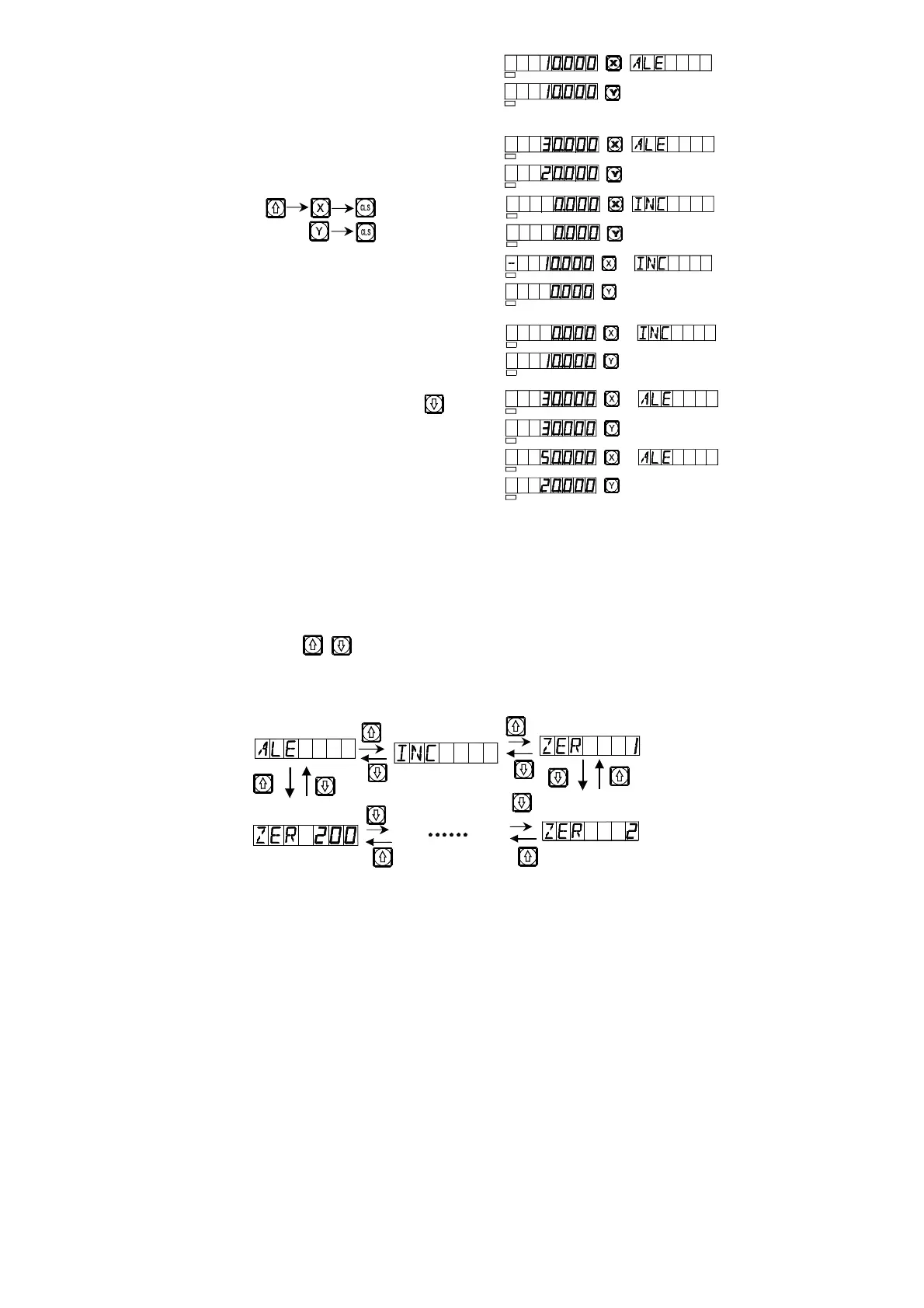
2) Move the machine tool to
Position A.
3) Move the machine tool to
Position. B.
4) Key
5) Move the machine tool to
Position C.
6) Move the machine tool to
Position D.
7) Return to the absolute mode
8) Move the machine tool to
Position E.
Note: The resetting in the absolute and the relative display mode must be
done separately. In absolute display mode, “ALE” is displayed on
Message Screen. It is in absolute display mode when “INC” is
display Message Screen.
Keying , can also realize the conversion between the two display
mode, and it is also possible to enter the display mode of 200 sets of user
coordinates, as shown in the following circulating schematic diagram.
SEL
SEL
SEL
SEL
SEL
SEL
SEL
SEL
SEL
SEL
SEL
SEL
SEL
SEL


 To Next Page