You may quit the angular surface processing function at will, just key .
. Processing the angular surface
When the processing plane is Plane XZ or YZ, the
angular processing function may prompt in processing
the angular surface step by step.
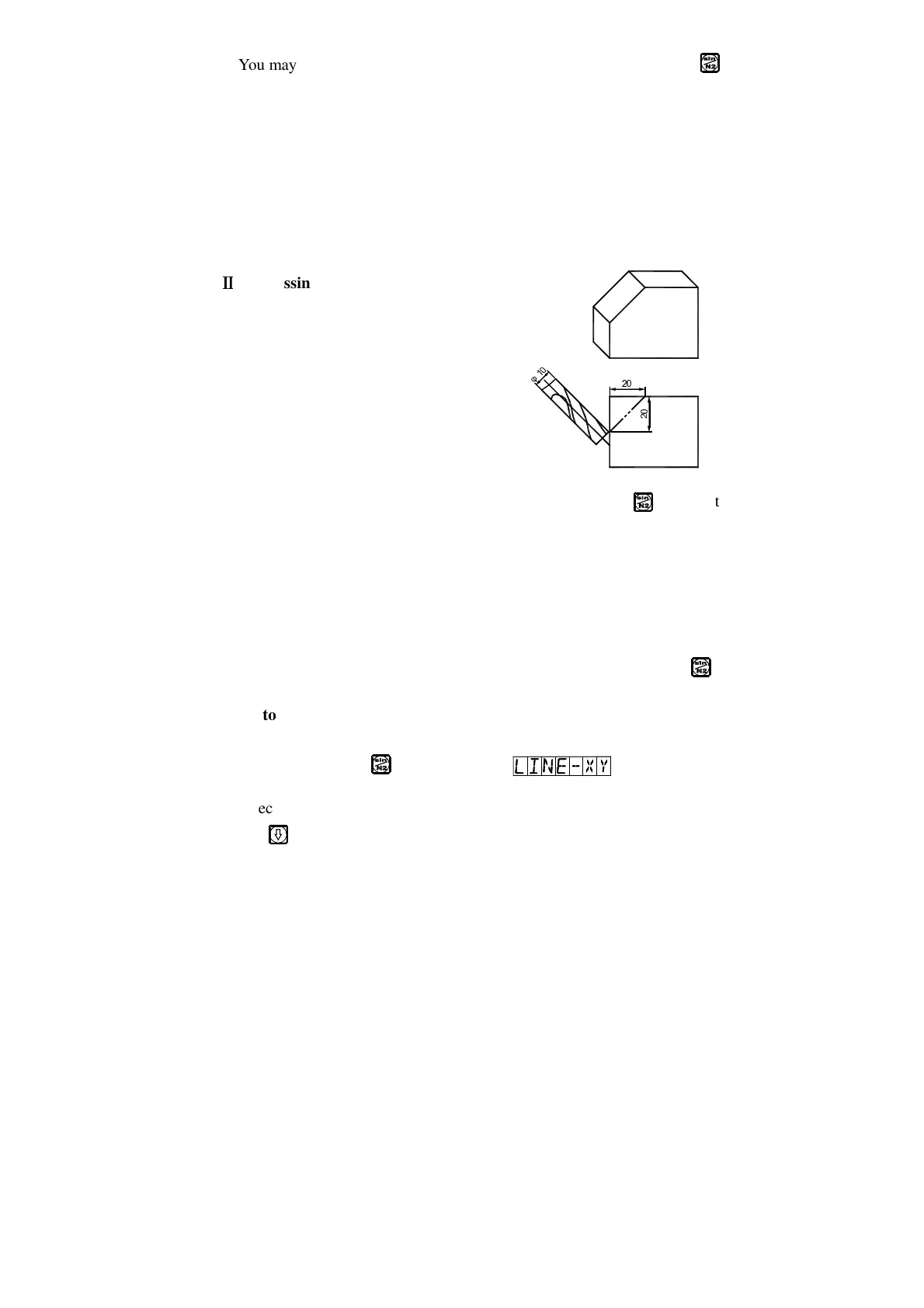
Processing on using the angular
processing function:
When the processing plane is Plane XZ
or YZ. At first align the spindle of the
machine tool for the bank angle, finish tool setting, and key to enter the
angular processing function.
1. Select Plane XZ or YZ.
2. Enter the diameter of the tool (DIA).
3. Enter the start point (ST POS).
4. Enter the end point (ED POS).
5. You may quit the angular surface processing function at will, just key .
Refer to the example:
1) Align for the bank angle, finish
tool setting, and key .
2) Select the processing plane
Key



 To Next Page