Angular Surface Processing
When the processing of a rather large angular surface is one part of job,
the angular processing function can make the job much easier.
|
||
|
. Aligning for the bank angle:
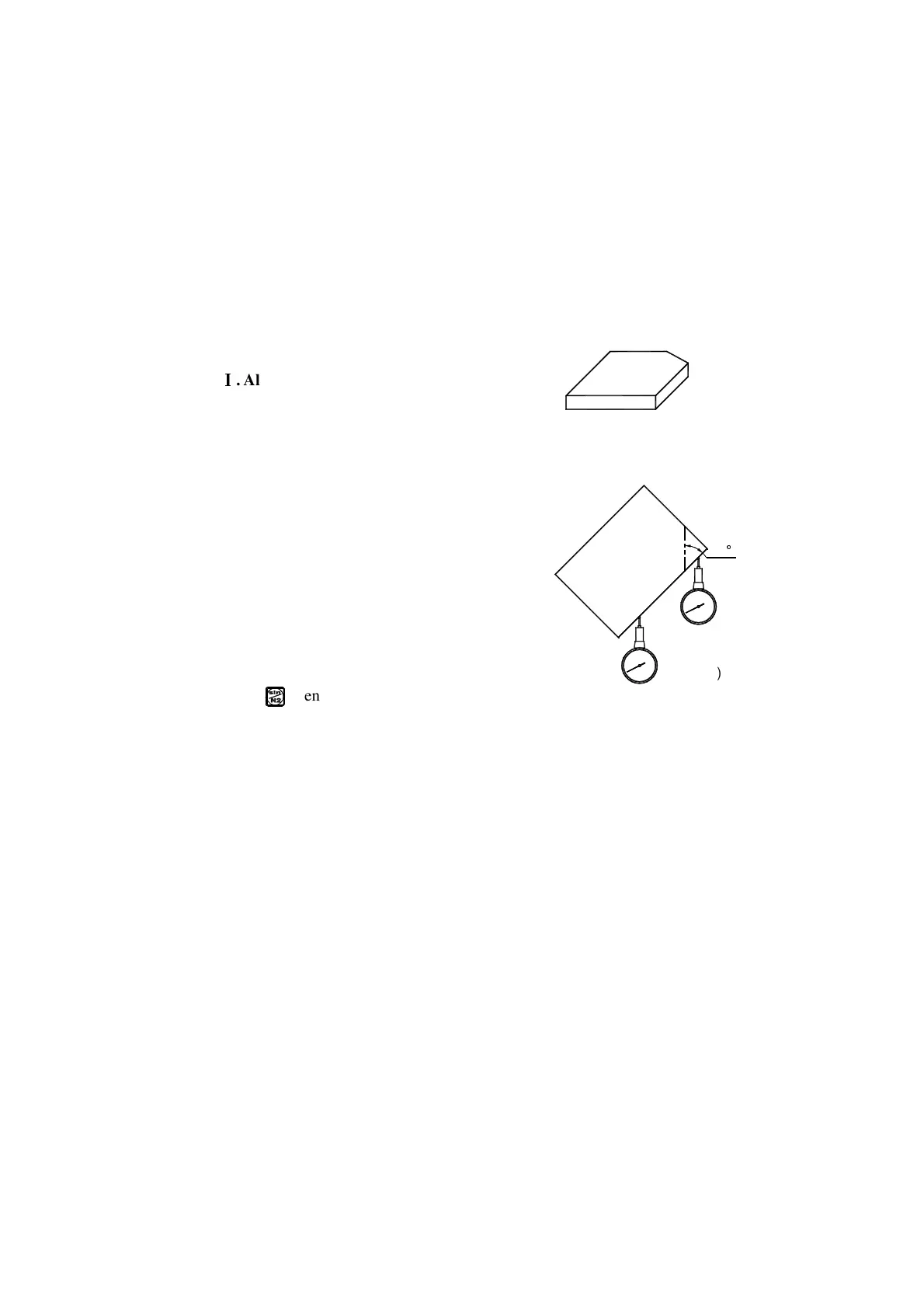
When the processing surface is Plane XY
as in the case of the fitting shown in Fig. (a),
it is necessary to align the working piece for
the bank angle before processing the angular
surface. In this case, the angular surface
processing function plays its role in aligning
the reference plane for the bank angle.
The procedure of aligning for the bank angle:
At first, set the working piece on the machine
table with an oblique angle equal roughly the
desired bank angle.
1. Key
}
to enter the angular surface
processing function.
2. Select the processing plane-Plane XY.
3. Enter the angle of the angular surface (ANGLE).
4. Move the machine table to let the metering tool(for example, dial indicator)
preset on the milling machine come just in contact with the reference plane
being aligned, adjust the scale reading into zero, and move the machine
45
(a)
(b)



 To Next Page