_`
ab
c
A
B
C
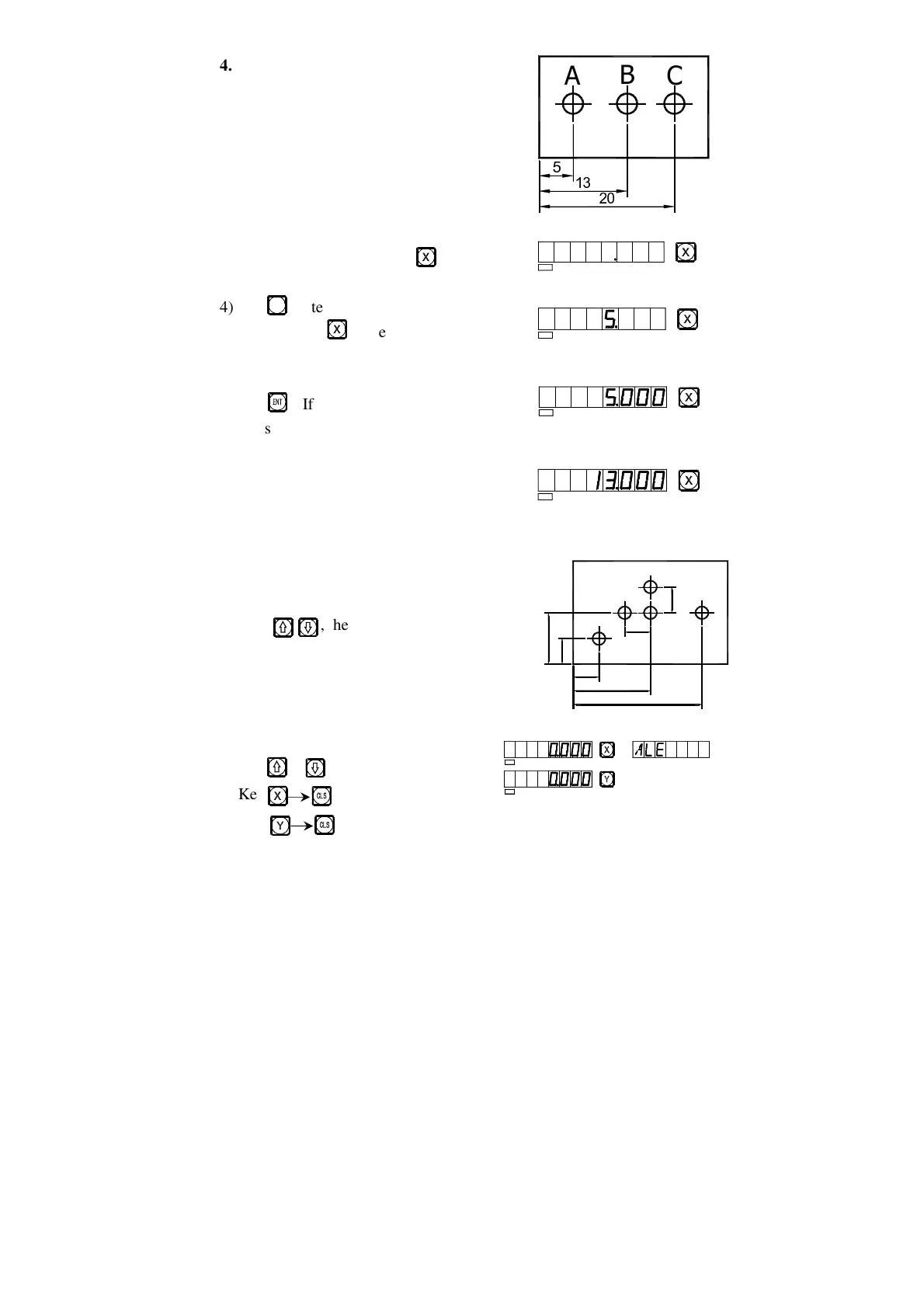
4. Presetting data
1) As shown in the figure, after the processing
of Hole A finished, the position of the
working piece has been adjusted, Hole B
is to be processed.
2) Align the Tool with Hole A.
3) Select the key for axis, key .
4) Key ,Enter the value(If the entered value
is wrong, key and enter the correct one
again)
5) Key , (If any mistake is found now, repeat
steps 3~5).
6) Move the machine table to the position
of 13, and the processing at Point B can
start.
5. Absolute/relative/user coordinate display
mode.
Key , the absolute/relative display
mode will convert one the other, following are
operations.
1) Let the Tool point to Point M
reset under the absolute mode.
Key or
Key
5
SEL
SEL
SE L
SEL
SEL
SEL
M
A
D
C
B
E
50
30
10
10
1
0
1
0


 To Next Page