"
#
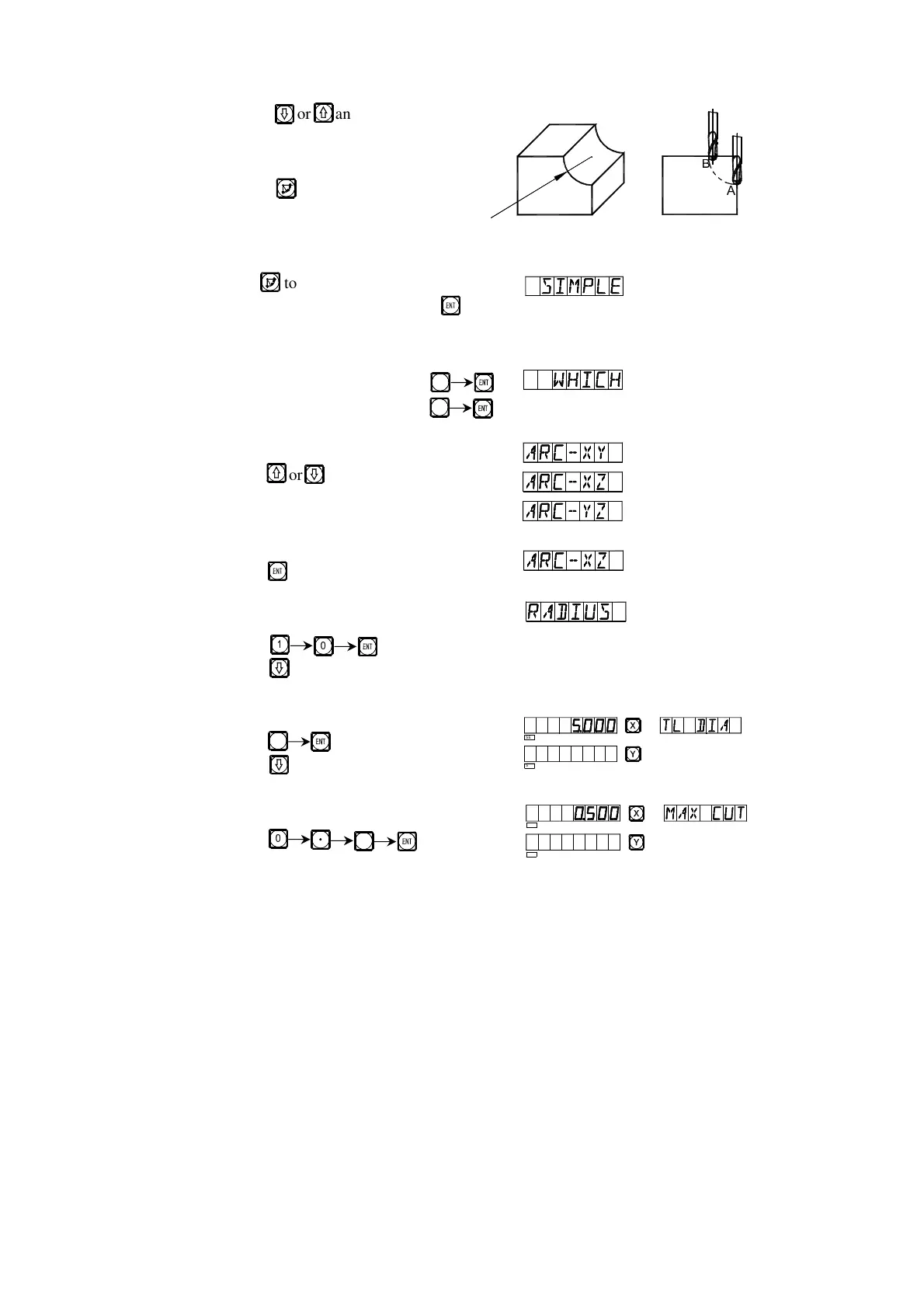
10) Key or and the position of next/last point will displayed.
You can quit ARC function at will, just
key
*Take the processing of an inner circular arc as example:
1) At first, align the tool to face just the start point(Point A or Point B),
key to enter ARC function.
Select the simple function, key
2) Select the way of the R processing
Point A is the start point, key
Point A is the start point, key
3) Select the processing plane
Key or
4) Select Plane XZ
Key
5) Enter the radius of the circular arc
Key
Key
6) Enter the diameter of the tool
Key
Key
7) Enter the maximal cut
Key
R
R
5
6
!
5
!
5
SEL
SEL
SEL
SEL


 To Next Page