Key
Key
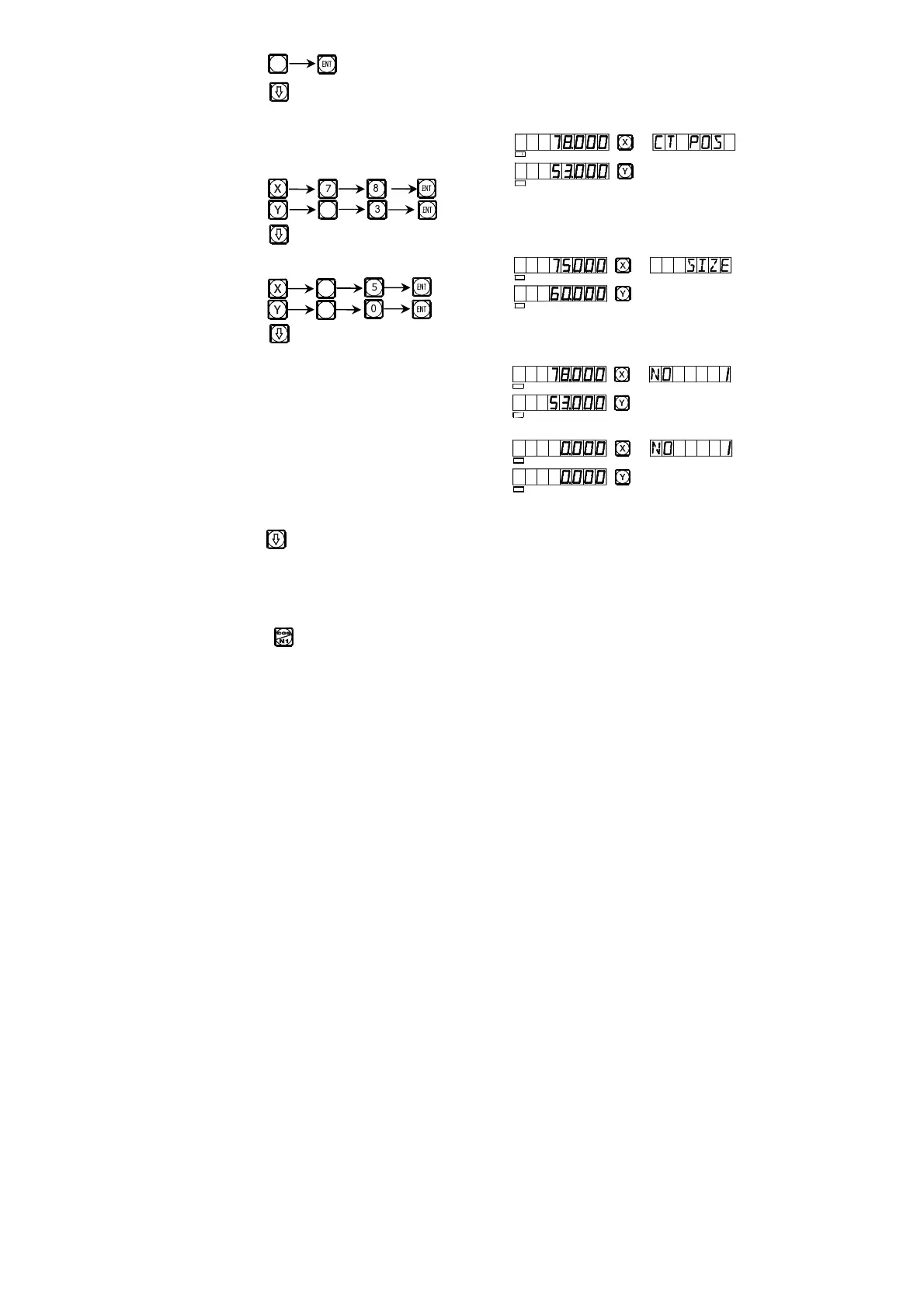
3) Enter the position of the center of the
inner chamber.
Key
Key
4) Enter the size of the inner chamber
Key
Key
5) Enter processing state.
6) Move the machine table to bring the
displayed values on both X- and Y-axes
into zero.
7) Key to display the processing position of next step, refer to the prompts
and move the machine to bring the displayed values on both X- and Y- axes
into zero.
You may quit the progressive inner chamber processing function at will,
just key .
6
5
7
7
5
6
y
SEL
SEL
SEL
SEL
SEL
SEL
SEL
SEL


 To Next Page