Used test strip and lancet may be biohazardous. Please discard them carefully according
to local regulation requirements.
If the meter is used by multiple people, use 75% alcohol to clean meter surface after
testing to avoid pathogen infection.
Attention: Hold the tip of the test strip to the blood drop until the meter beeps. Visually confirm
that the blood sample fills the entire reaction chamber at the end of the test strip.
Do not move meter or strip and press main button when testing.
If you didn’t apply enough blood sample to test strip, use a new test strip to test again.
Do not use test strip press finger firmly, otherwise it may cause inaccurate test result.
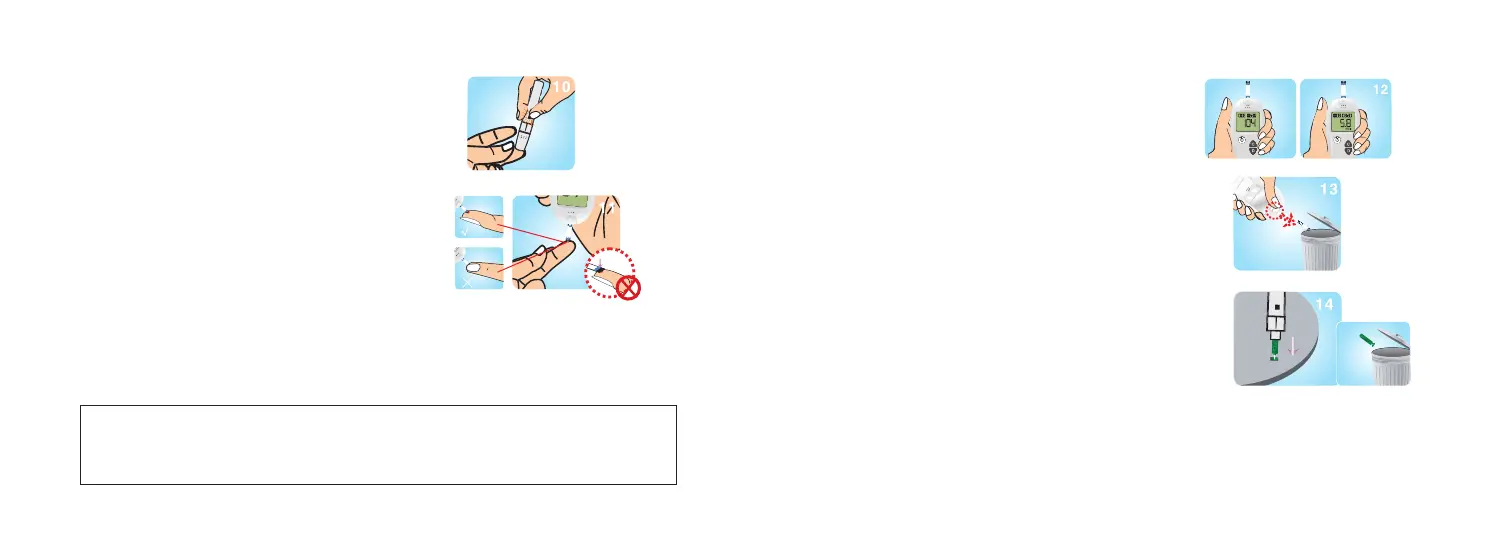
STEP 10: Make sure the lancing device is pressed
firmly to your finger. Press the button to lance.
Attention: If you didn’t get enough blood sample,
please gently massage your finger. DO NOT
SQUEEZE YOUR FINGER. Refer to step 6 to
adjust puncture depth and lance again.
STEP 12: After a 10-second count down, the eter
displays the test result
STEP 13: Eject the strip.
STEP 14: Remove the lancing device cover. With
the lancet protector on the table, stick the needle
of the lancet into the protector. Eject the lancet
and screw the lancet cover back on.
STEP 11: When the meter screen displays a flashing
blood symbol, apply the blood sample to the reaction
chamber.
26 27
Caution:
DO NOT smear or scrape the blood onto the Test Strip
DO NOT apply blood to the Test Strip when the Test Strip is not in the test strip port.
DO NOT put blood or foreign objects into the test strip port.



 To Next Page