Sinterit LISA PRO User Manual | 29
BACK DONE
PREPARATION STEP 3/9
sample.scode
Fill the Feed Bed with fully compacted
PA12 Smooth powder
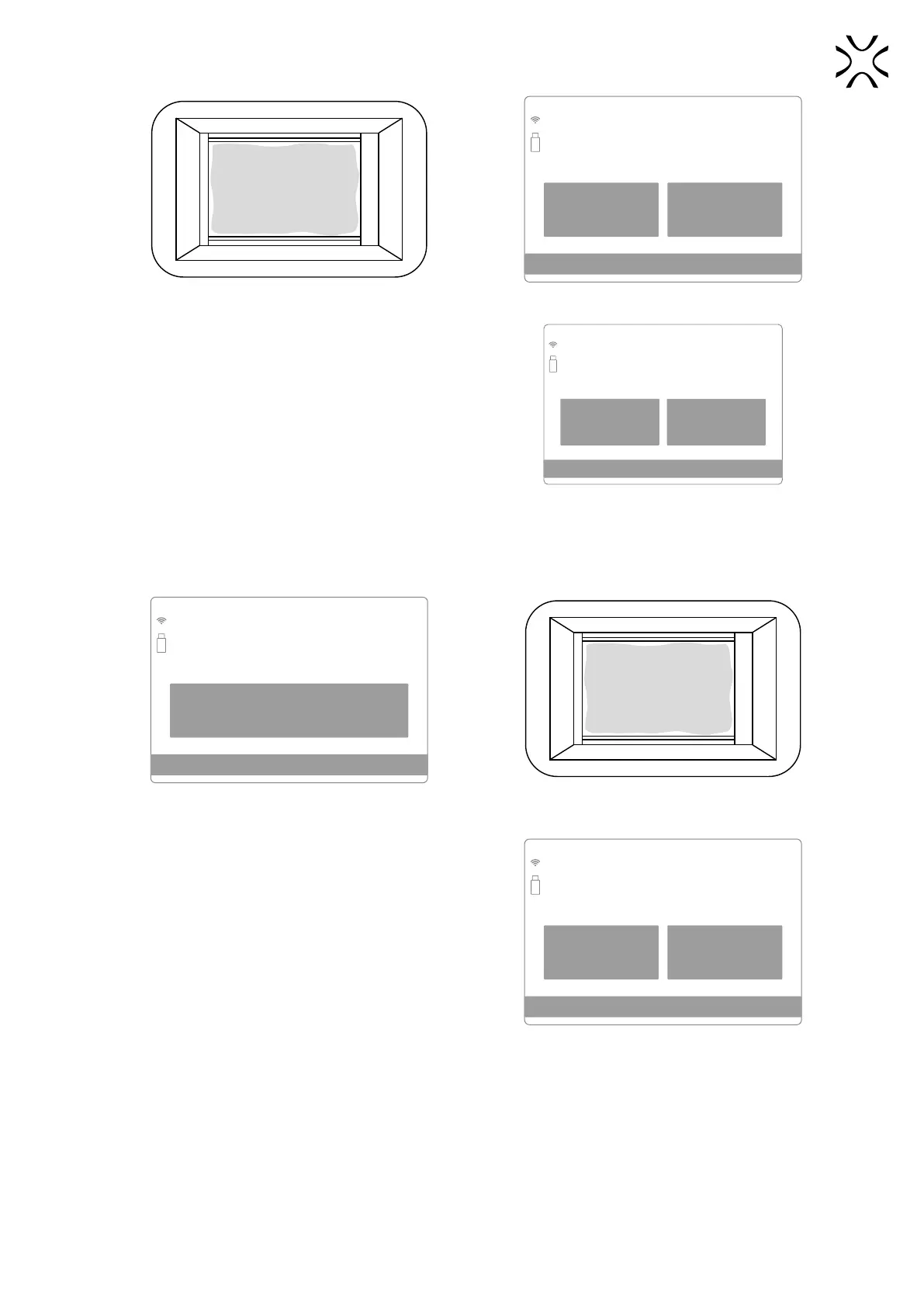
Pour a bit of powder into the Print Bed. Process screen: ll up the Feed Bed with powder.
19. The powder will be automatically levelled. Press START
LEVELING to start.
• The process will be automatically stopped when the powder
layer reaches a few millimeters thickness on the Print Bed.
BACK
START
LEVELING
PREPARATION STEP 4/9
sample.scode
Automatic leveling of powder
Stop when the Print Bed i covered
with smooth layer of powder
Press START LEVELING to start levelling off the
powder in the Print Chamber.
20. If the powder has been thoroughly distributed over the entire Print Chamber (especially Print Bed), the levelling
process can be stopped, by pressing the STOP LEVELING button on the screen.
STOP LEVELING
PREPARATION STEP 4/9
sample.scode
Automatic leveling of powder
Stop when the Print Bed i covered
with smooth layer of powder
Press STOP LEVELLING - when the powder has been
distributed throughout the Print Chamber.
View of the Print chamber after correct
powder levelling.
21. If the powder layer is ok, press the NEXT button.
• If the quality of the created layer, after levelling, is not
satisfying, you can repeat the process by clicking on the
REPEAT LEVELING button.
REPEAT
LEVELING
NEXT
PREPARATION STEP 4/9
turbinx6.scode
Are you satised with the leveling results
and want to proceed?
If not press REPEAT LEVELING
Is the spreading of the powder satisfactory
or repeat the process?



 To Next Page