64 93 204 D3509
4 D3509.208.01.03.02 04.2017
2Installation Sirona Dental Systems GmbH
2.1Prerequisites Operator's manual for SIDEXIS 4 Video Plugin TENEO / SINIUS / INTEGO
2
Installation
2.1
Prerequisites
● Sidexis 4 is installed.
● SIUCOM Plus is installed.
● SIVISION connect is installed.
2.2
Calling up the installation wizard
1. Insert the Sidexis 4 DVD in the computer's DVD drive.
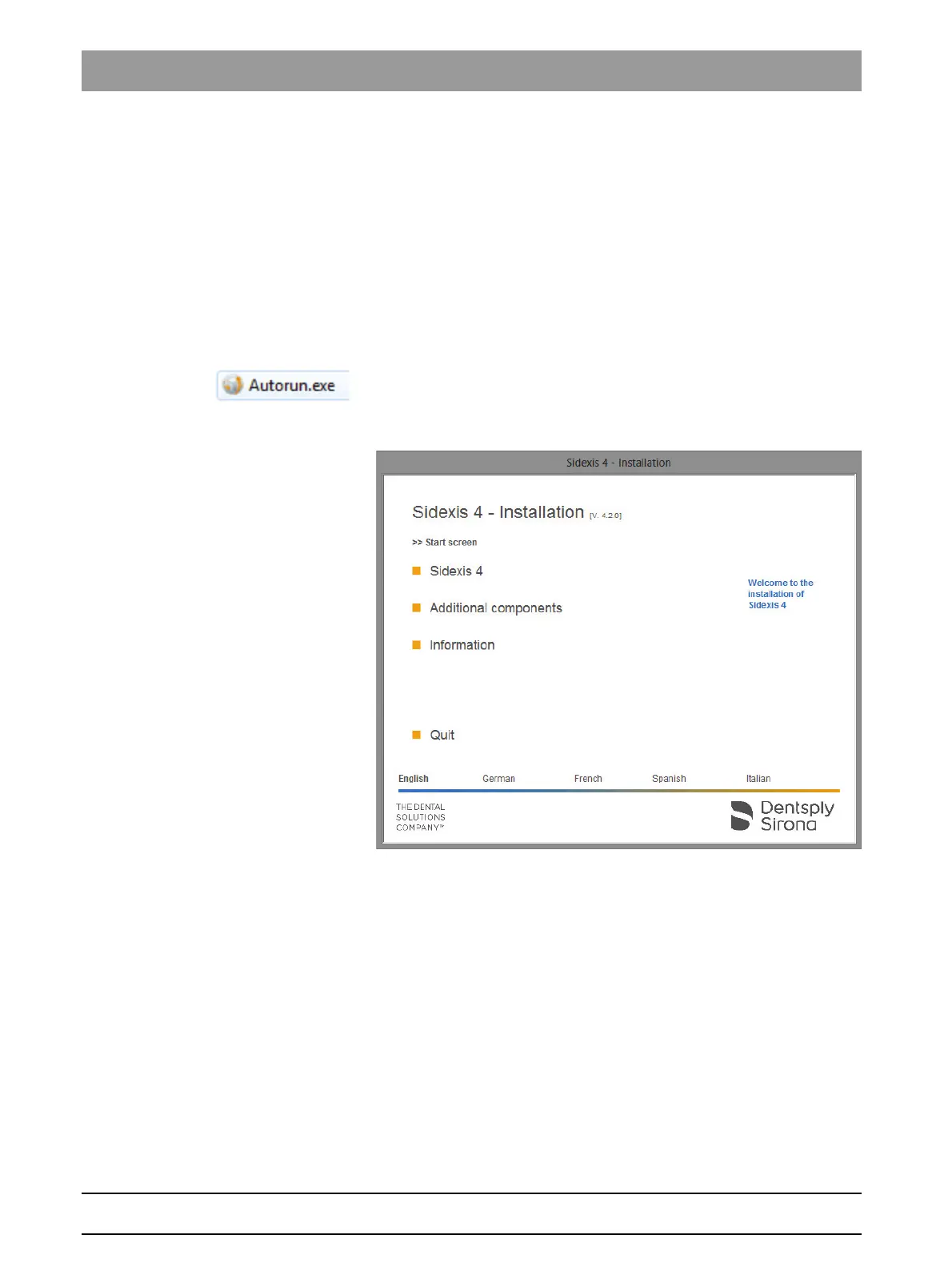
NOTE: The Sidexis 4 installation wizard should start automatically by
default. If this is not the case, open the "Autorun.exe" file in the root
directory of the Sidexis 4 DVD.
Sidexis 4 Installation wizard/home page
The home page of the Sidexis 4 installation wizard opens.
NOTE: The installation wizard detects the language of the
installed operating system. If the language of the operating
system is available as a Sidexis 4 program language, this is used
automatically as the installation language. If the language of the
operating system is not available as an installation language,
English is used as the installation language.
If Sidexis 4 is to be installed in a different language, you must
change the language manually.
2. Click the language you prefer in the bottom bar on the home screen.
The installation language is changed.



 To Next Page