64 93 204 D3509
8 D3509.208.01.03.02 04.2017
3Operation Sirona Dental Systems GmbH
3.1Select camera Operator's manual for SIDEXIS 4 Video Plugin TENEO / SINIUS / INTEGO
3.1.2 Selecting and configuring third-party cameras
Third-party cameras connected via USB and USB video grabber can be
selected and configured.
Selecting a third-party camera
1. Start Sidexis 4.
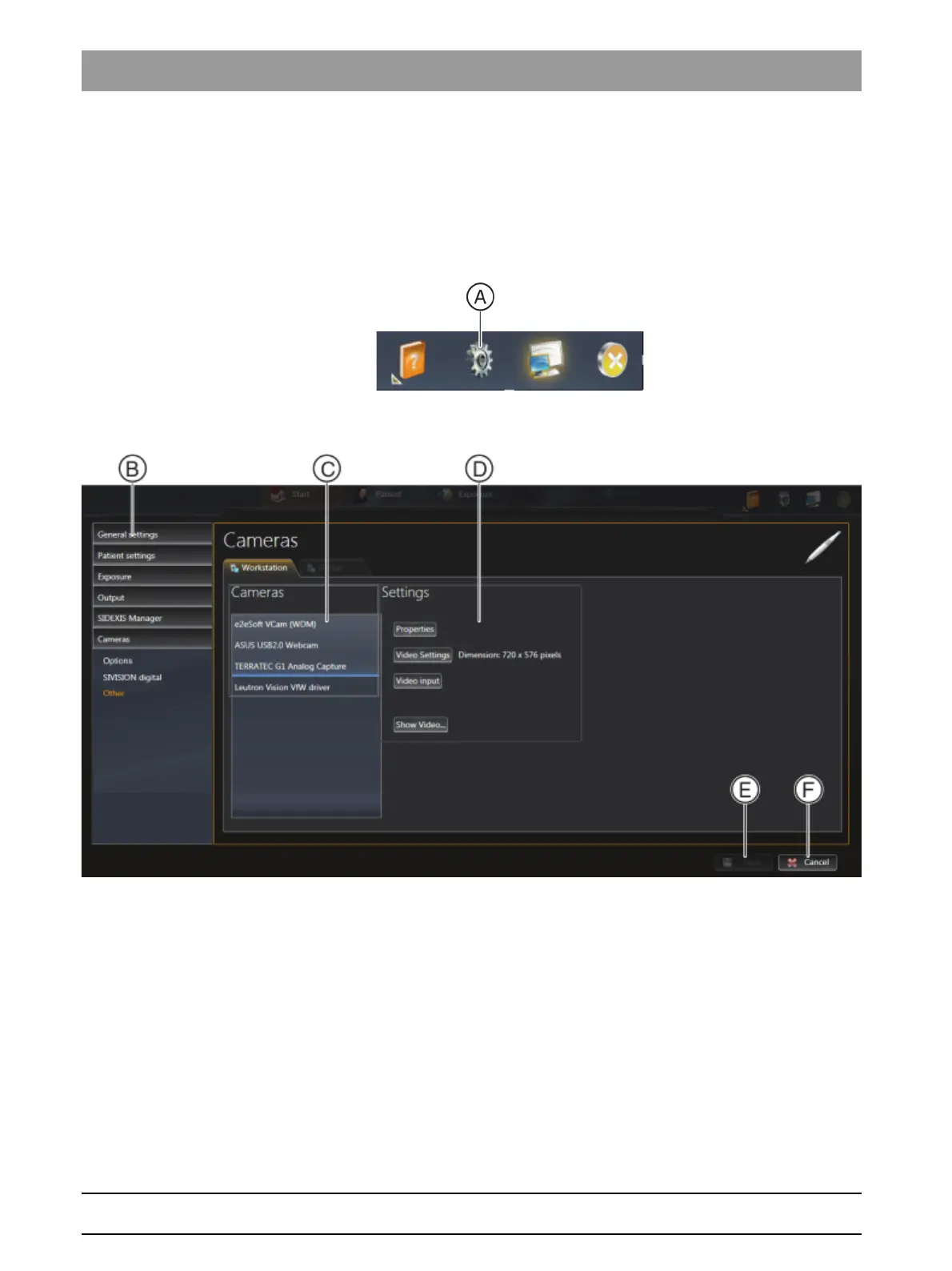
2. Click on the toothed wheel icon (A) in the header line of the software.
The configuration menu opens.
3. Click the Cameras ⇒ Other buttons in the structure tree (B).
4. In the Cameras region (C), select the camera you wish to use with
Sidexis 4.
5. Click the Save button (E):
The selected camera can be used with Sidexis 4.



 To Next Page