64 93 204 D3509
D3509.208.01.03.02 04.2017
7
Sirona Dental Systems GmbH 3Operation
Operator's manual for SIDEXIS 4 Video Plugin TENEO / SINIUS / INTEGO 3.1Select camera
båÖäáëÜ
3
Operation
3.1
Select camera
3.1.1 Selecting SIVISION digital intraoral cameras
1. Start Sidexis 4.
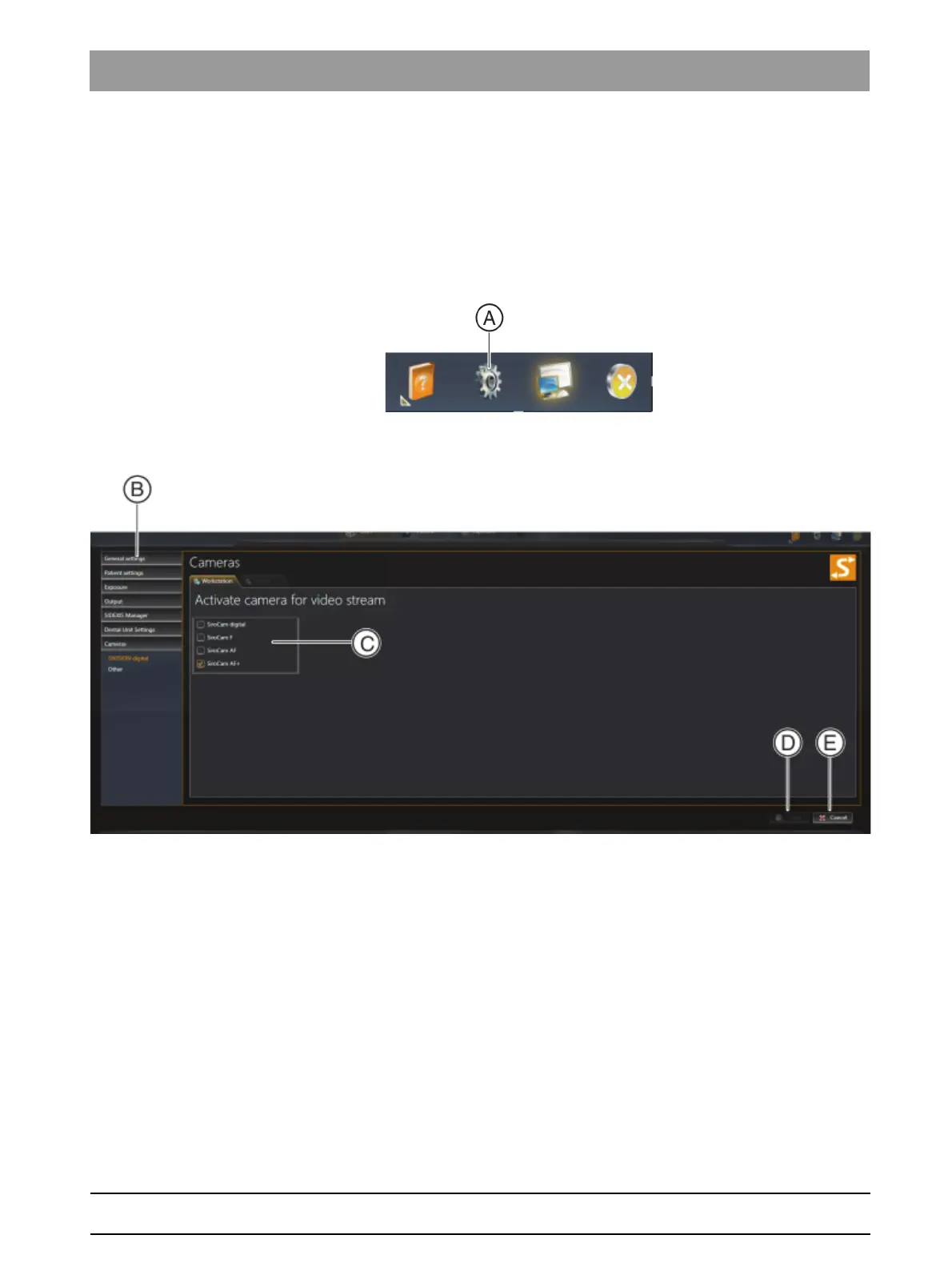
2. Click on the toothed wheel icon (A) in the header line of the software.
The configuration menu opens.
3. Click the Cameras ⇒ SIVISION digital buttons in the structure tree
(B).
4. Place a check in Activate camera for video images (C) in the region
you wish to use with Sidexis 4.
5. Click on the Save button (D).
The selected intraoral cameras can be used with Sidexis 4.
NOTE! The selected intraoral cameras are only available for Sidexis 4.



 To Next Page