64 93 204 D3509
14 D3509.208.01.03.02 04.2017
3Operation Sirona Dental Systems GmbH
3.5Save or discard still images in Sidexis 4 Operator's manual for SIDEXIS 4 Video Plugin TENEO / SINIUS / INTEGO
3.5
Save or discard still images in Sidexis 4
Highlight still images for saving in Sidexis 4
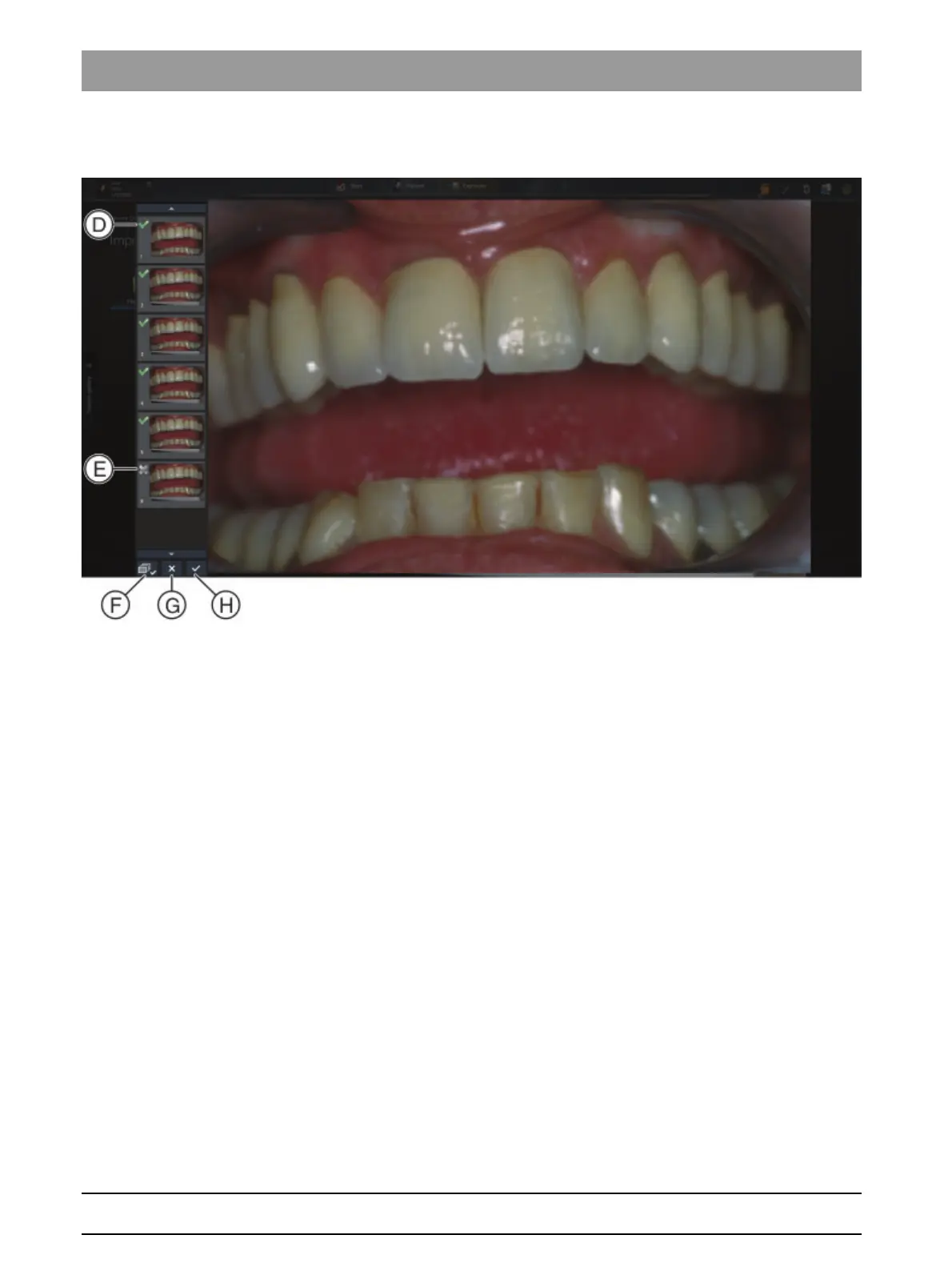
➢ Click on the icon at the top left in the thumbnails (D) / (E).
Icon (D): Image is highlighted.
Icon (E): Image is not highlighted.
You can highlight or remove the highlighting for all still images using the
(F) button.
Save still images in Sidexis 4
➢ Click on the (H) button.
The still images selected are saved in Sidexis 4 and displayed in the
light box.
The still images that are not highlighted are discarded.
The plugin closes.
NOTE! If no patient is registered in Sidexis 4 then the Sidexis 4 import
dialog appears. Register the patient to import the images.
Discard all still images.
➢ Click on the (G) button.
All still images are discarded.
The plugin closes.



 To Next Page