WL-108 Wireless Network Modem/router 11M
18
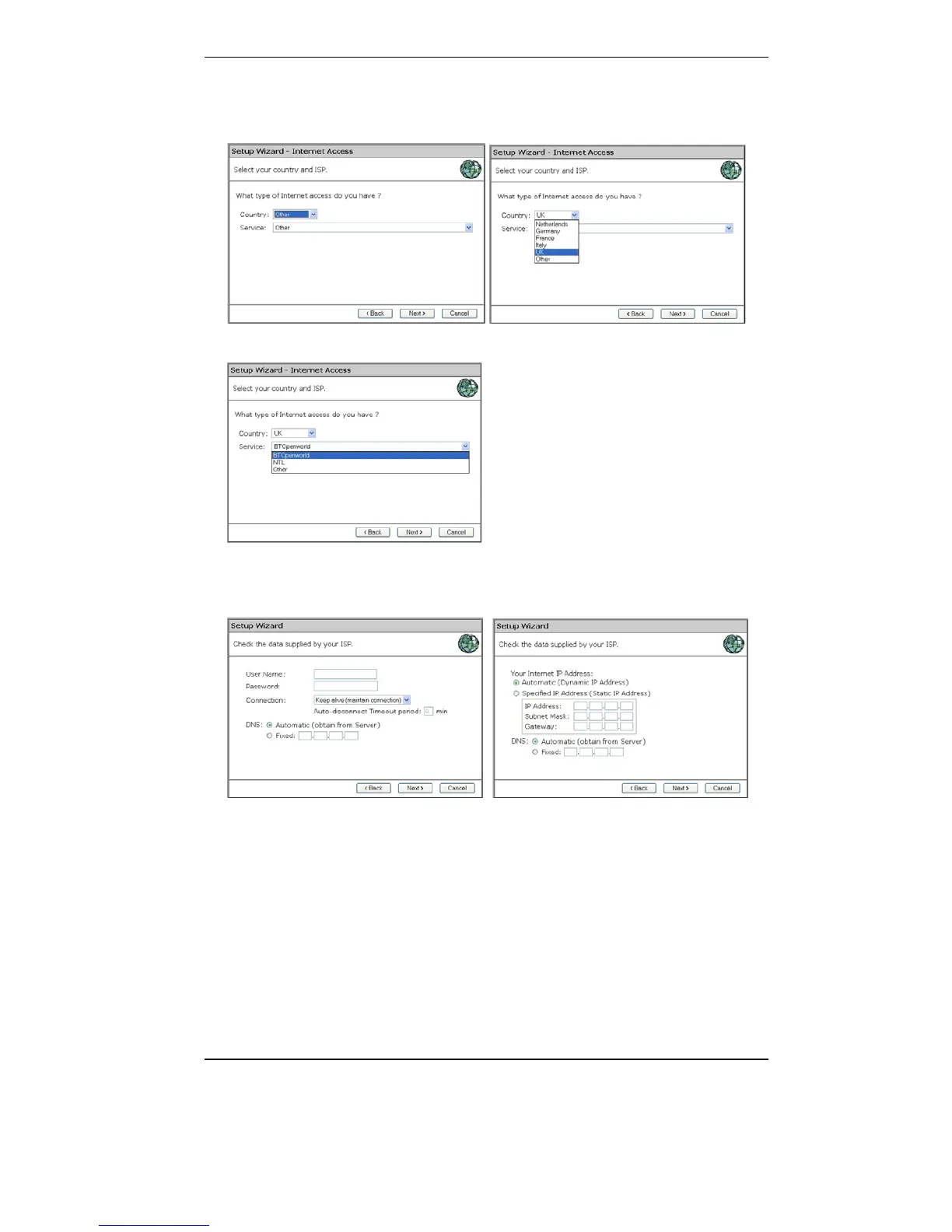
8. Select your country from the Country list. If your Country isn’t listed,
please see the next Chapter “Your Country/ISP is not listed”
9. From Service, select your internet provider. Click Next.
10. Depending on the chosen provider, you may need to enter your user
name and password or select dynamic or fixed WAN IP connection in
the following window. Then click on Next.
11. Click finish to complete the configuration. Click on Close. If Test
Internet Connection is ticked, the router will test the connection after
you have clicked on finish. Wait until this test has been completed
before you click on close. The configuration is now completed.



 To Next Page