www.skcltd.com 901-F3M Issue A Page 9
Getting Started
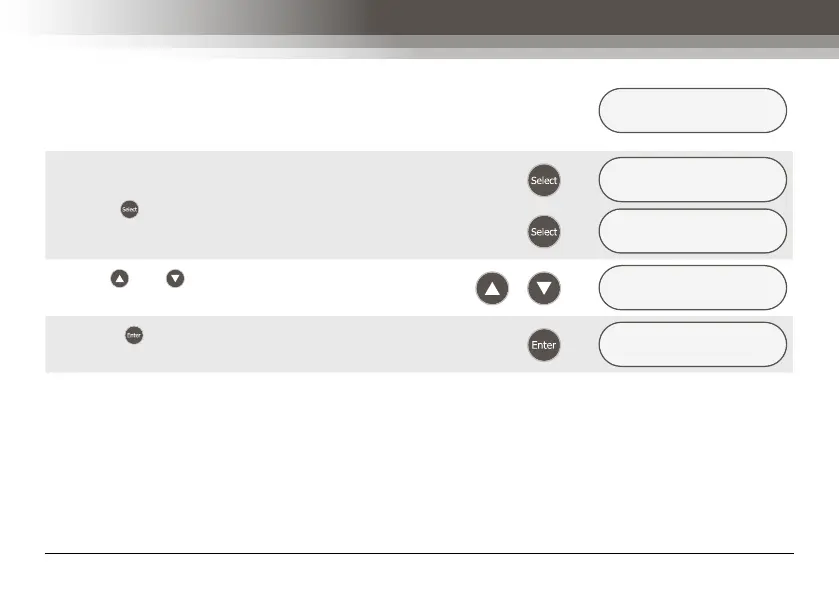
On number entry menu screens such as the sample run
time screen, each digit of the hours and minutes is entered
individually. The currently selected digit is identified by being
underlined.
ENTER RUN TIME
000:0▵ (HH:MM)
Press the key to scroll through the digits as shown.
Æ
ENTER RUN TIME
▴00:01 (HH:MM)
Æ
ENTER RUN TIME
0▴0:01 (HH:MM)
Use the and keys to enter the required value for the
selected digit as shown.
/
Æ
ENTER RUN TIME
0▵0:01 (HH:MM)
Press the key to accept the run time. The next menu
screen will be shown on the LCD screen as shown.
Æ
DELAYED START ?
YES/no



 To Next Page