Page 14 901-F3M Issue A www.skcltd.com
Programming the Flite 3 Pump
Press to save the start delay time and display the next
menu screen.
Æ
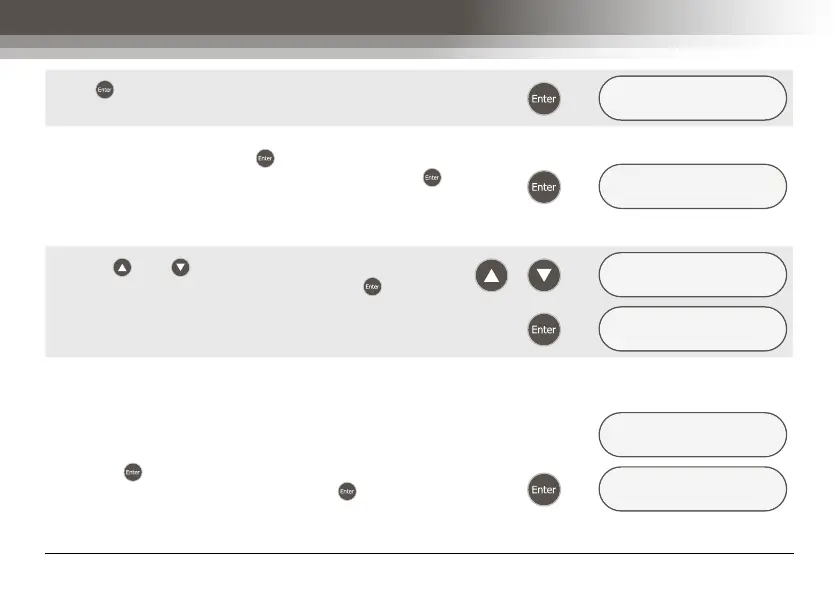
REPEAT RUN AND D
YES/no
To program repeat sample run and delay times select
the ‘YES’ option, and press to display the next menu
screen. Alternatively, select the ‘NO’ option, and press to
display the ‘REVIEW DATA ?’ menu screen. Refer to section
- Operation 5) Reviewing Sampling Programs, for further
details.
Æ
ENTER NUMBER OF
REPEATS = 1
Use the and keys to enter the required number of
sample run and delay time repeats, and press to save the
number of repeats and display the ‘REVIEW DATA ?’ menu
screen. For example entering 2 repeats will give a total of 3
sample runs and delays.
/
Æ
ENTER NUMBER OF
REPEATS = 2
Æ
REVIEW DATA ?
yes/NO
5) Reviewing Sampling Programs
Once a sampling program has been entered the pump
displays the ‘REVIEW DATA ?’ menu screen. This enables
the programmed settings to be viewed and amended if
required. To review the settings select the ‘YES’ menu option
and press to display the first review screen. Alternatively,
select the ‘NO’ menu option and press to display the
‘START NOW ?’ screen. Refer to section - Operating the
Flite 3 Pump for further details.
REVIEW DATA ?
YES/no
Æ
CHECK FLOW ?
yes/NO



 To Next Page