www.skcltd.com 901-F3M Issue A Page 13
Programming the Flite 3 Pump
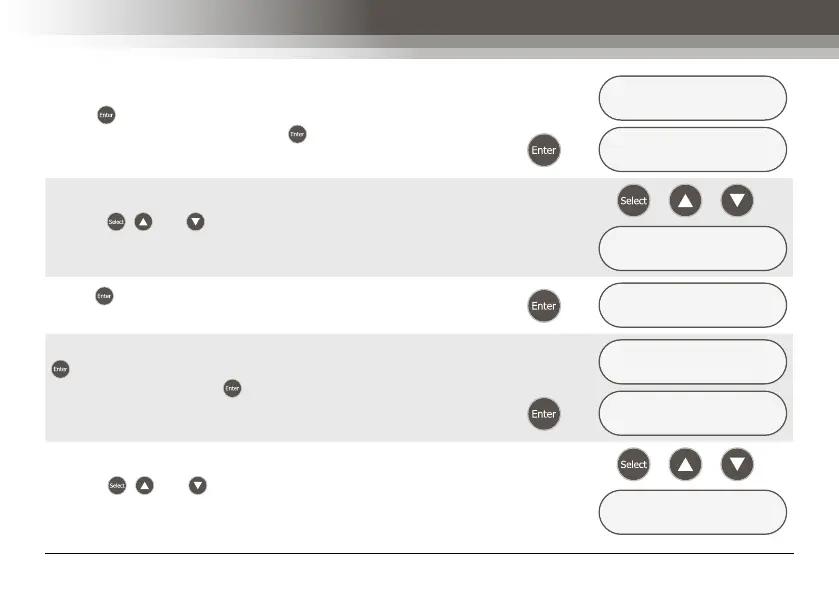
To enter a sample run time select the ‘YES’ option, and
press to display the next menu screen. Alternatively,
select the ‘NO’ option, and press to return to the ‘RUN
PARAMETER’ menu screen.
ENTER RUN TIME ?
YES/no
Æ
ENTER RUN TIME
000:0▵ (HH:MM)
Use the , and keys to enter the required sample run
time in hours and minutes.
/
/
Æ
ENTER RUN TIME
001:0▴ (HH:MM)
Press to save the sample run time and display the next
menu screen.
Æ
DELAYED START ?
YES/no
To enter a start delay time select the ‘YES’ option, and press
to display the next menu screen. Alternatively, select the
‘NO’ option, and press to display the ‘REVIEW DATA
?’ menu screen. Refer to section - 5) Reviewing Sampling
Programs, for further details.
DELAYED START ?
YES/no
Æ
SET DELAY TIME
000:0▵ (HH:MM)
Use the , and keys to enter the required start delay
time in hours and minutes.
/
/
Æ
SET DELAY TIME
000:▵0 (HH:MM)



 To Next Page