4 - 2 QuickCollect
User Manual
Preparing to Take Measurements
To configure alarm thresholds:
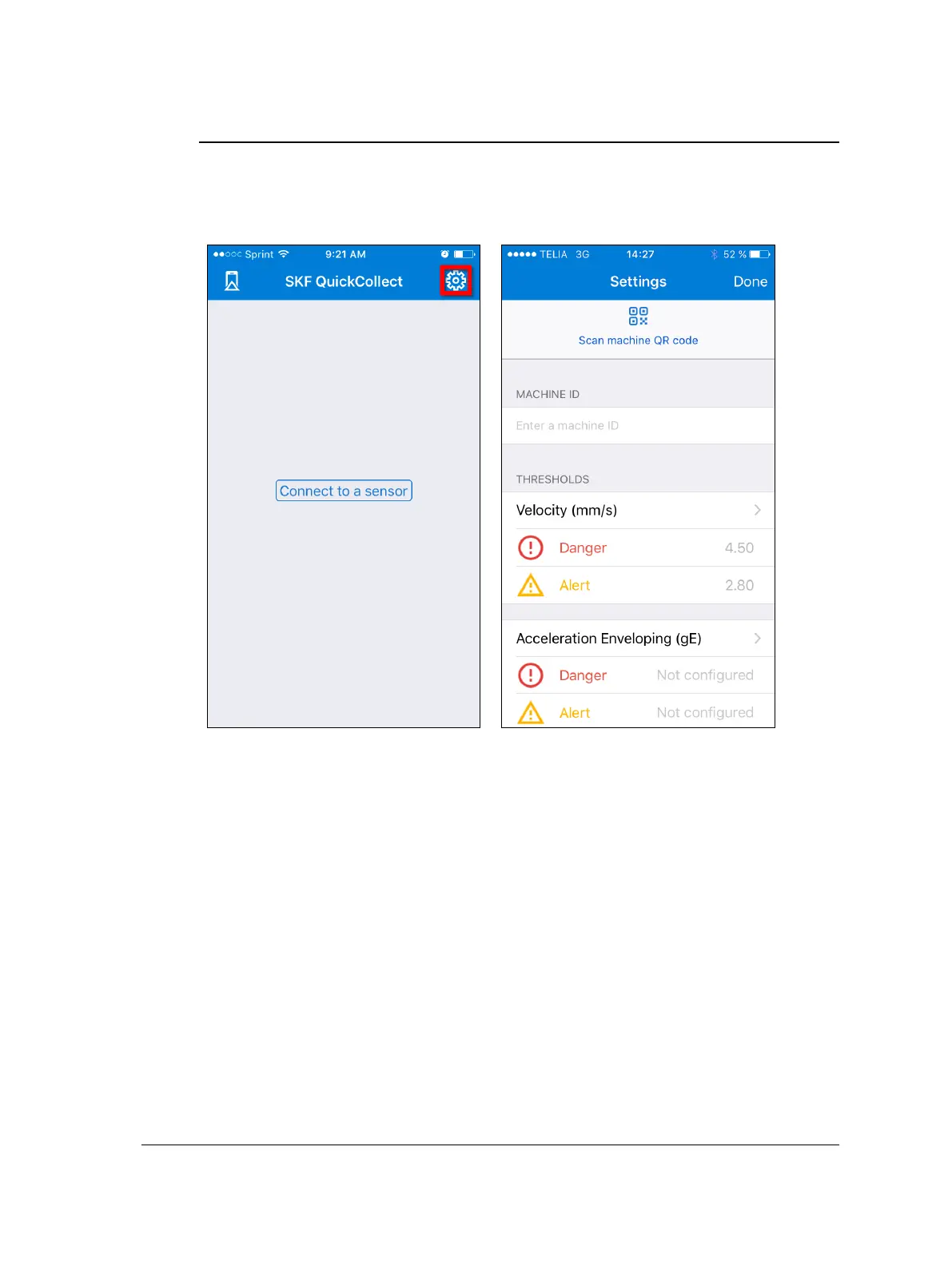
Navigate to the Settings table, either from the welcome screen as described above
or by tapping the settings icon in the top right of the app’s home screen.
Figure 4 – 2.
Navigating to the Settings table from the home screen.
Tap the QR icon to scan a machine’s QR code in order to automatically collect
information and values for thresholds for the machine.
OR
Tap within the MACHINE ID text box to bring up a keyboard, and enter unique
identifying information for the machine that your sensor will be measuring.


 To Next Page