QuickCollect 4 - 3
User Manual
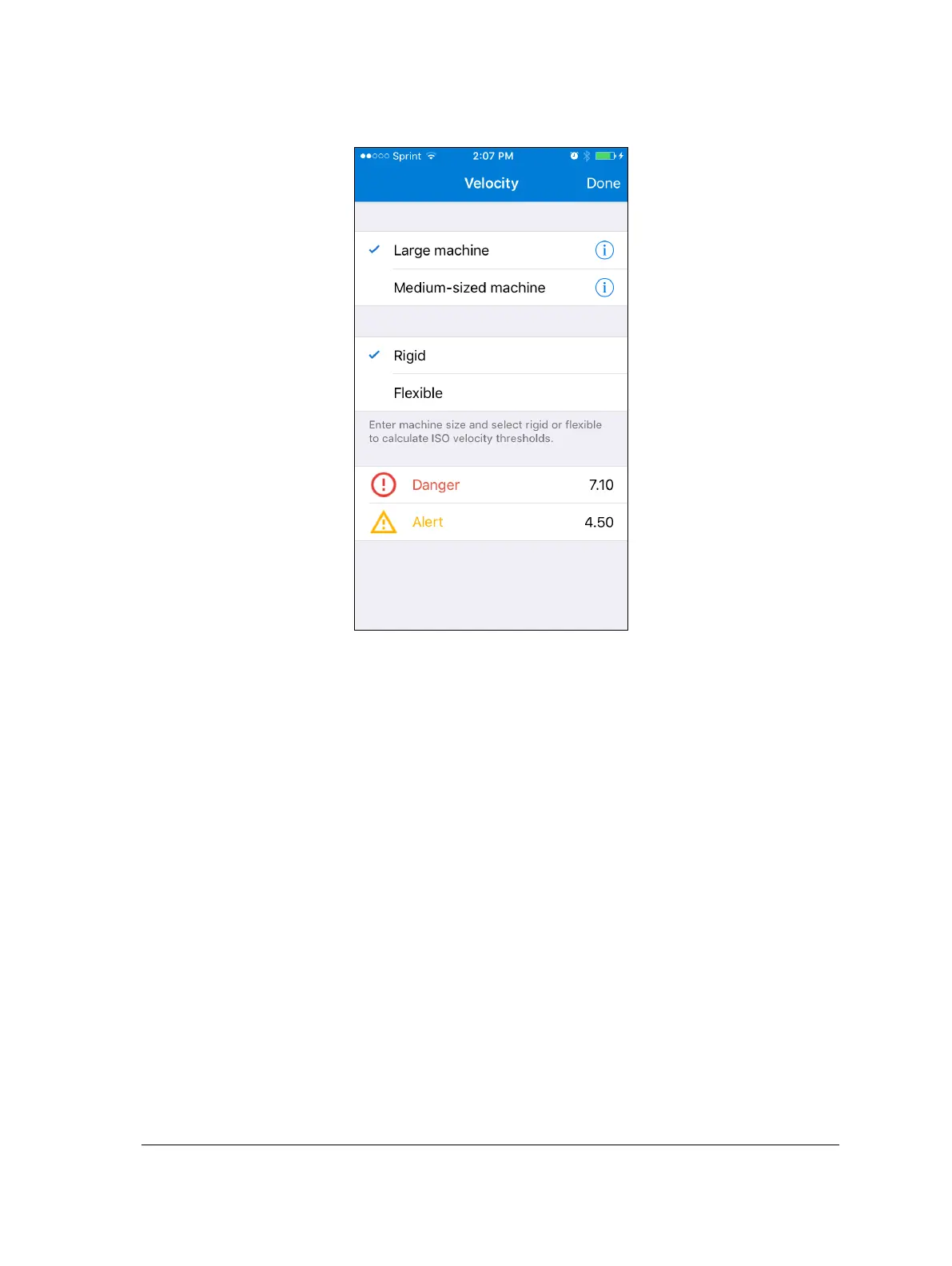
Tap the THRESHOLDS: Velocity field to navigate to the Velocity table.
Figure 4 – 3.
Velocity table.
Make selections and/or enter values for Velocity measurement thresholds:
Select whether the machine that your sensor will be measuring is a Large
machine or a Medium-sized machine and whether it is Rigid or Flexible. The
app will automatically calculate the ISO velocity thresholds for such a machine.
Tap either information icon to learn what constitutes a Large
machine as opposed to a Medium-sized machine.
Alternatively, tap within the Danger and/or the Alert field to bring up a
keyboard and enter a threshold value. You may enter user-defined levels.
Tap Done to set all configurations and return to the Settings table.


 To Next Page