8
SKF TKTI 21 & 31
1
2
3
4
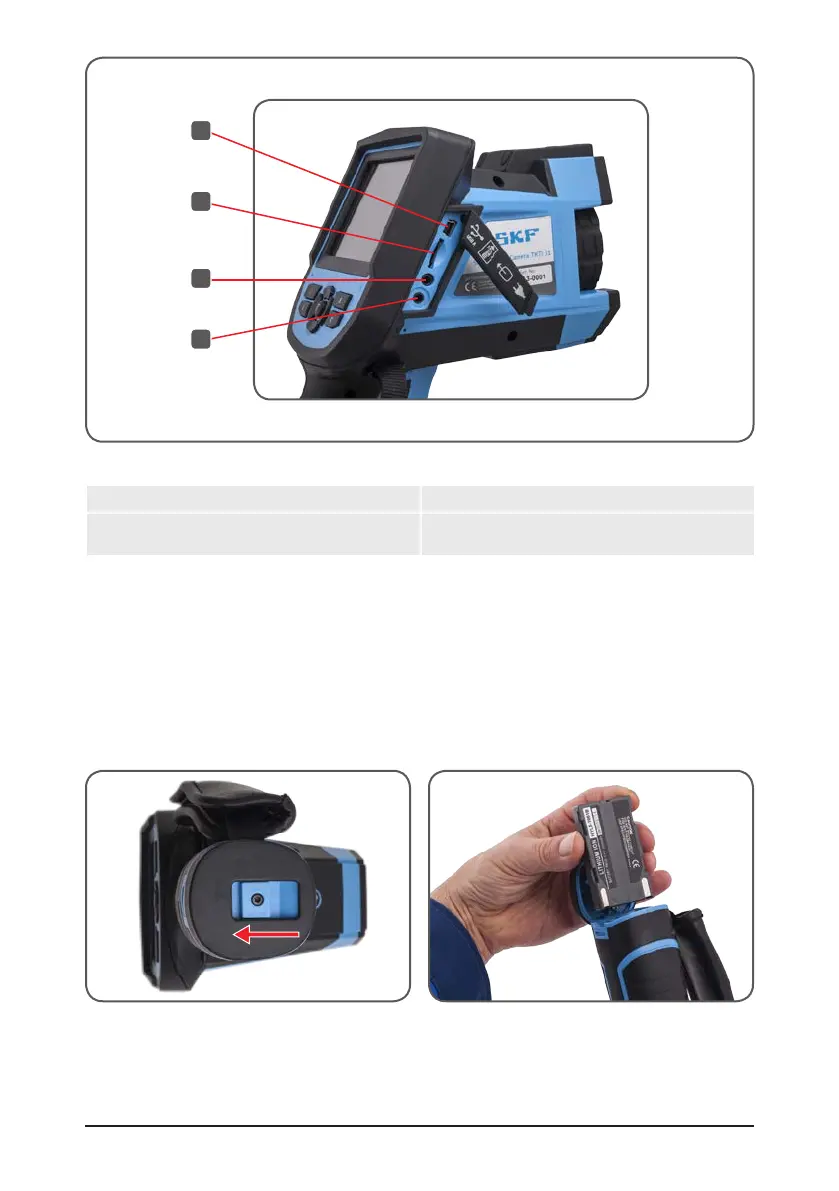
Figure 3 Connectors
1. Mini USB connector 3. Mini jack video output
2. Micro SD card port
(2GB Micro SD card supplied)
4. 12V DC connector
(Power adapter not provided)
3. Getting Started
3.1 Battery
3.1.1 Battery Installation and Replacement
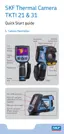
The Battery door is located in the bottom of the handle. Open the lock on the battery door
by pushing in the direction shown figure 4.
Figure 4 Battery door Figure 5 Battery insertion
Insert one of the two batteries supplied as shown on Figure 5. Ensure the battery
contacts are oriented towards the upper part of the camera. Lock the door.


 To Next Page