24
SKF TKTI 21 & 31
The following table gives an indication of the minimum dimensions of an object you can
measure at a given distance.
Distance (m) 0,5 1 5 10 15
TKTI 21 (cm) 0,4 0,8 4,2 8,3 12,5
TKTI 31 (cm) 0,2 0,4 1,7 3,5 5,2
The object size is proportional to the distance.
From the above table you can deduct the TKTI 31 is better suited for farther applications.
The IFOV for the TKTI 21 is 2,77 mrad.
The IFOV for the TKTI 31 is 1,15 mrad.
4.3.5 Temperature measurement
• If no measurement cursors are on screen, add a measurement spot, area or line.
• Aim the cursor indicator onto the target object on the screen.
The temperature will be displayed in the upper right corner of the screen.
• If you want to measure the current thermal image in detail, press the S button to
freeze and save the image for on-screen analysis
• To modify the measurements attributes, select the measurement parameter, and
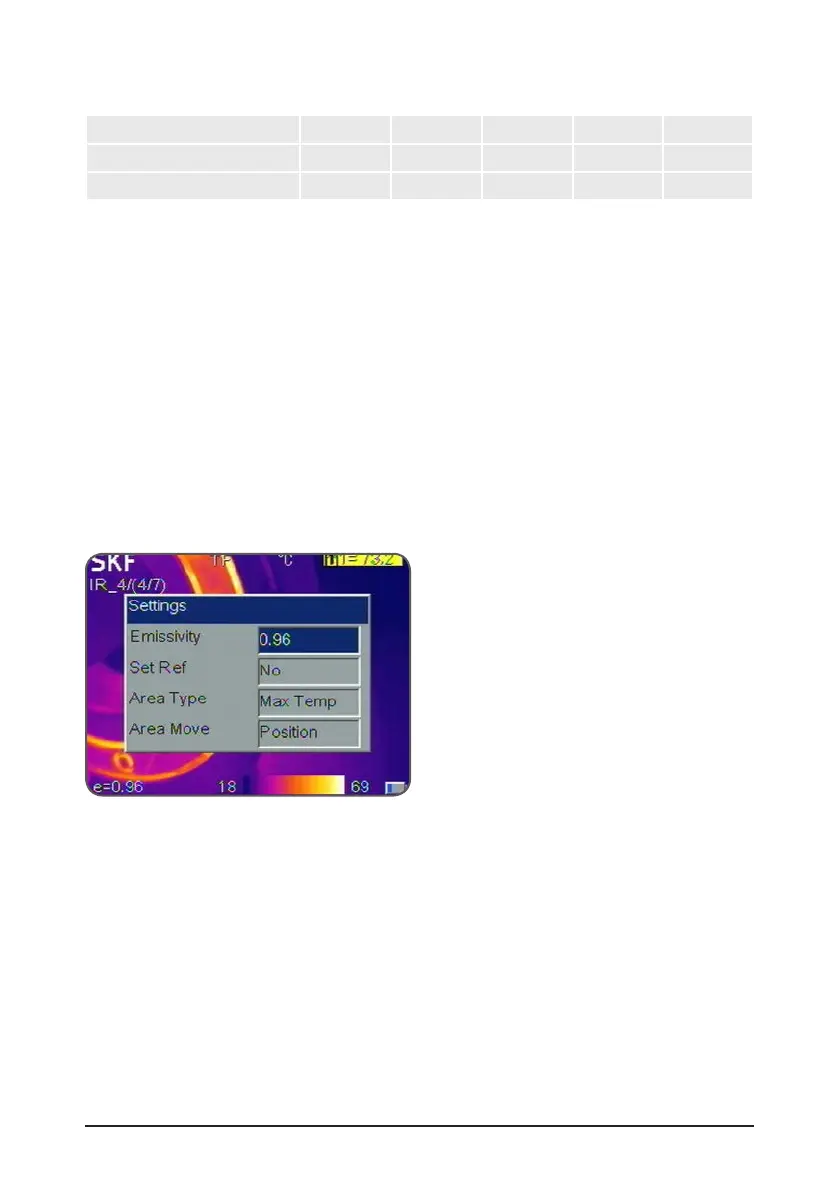
then press the Menu button. The screen will display the settings dialog box.
Figure 25 Set reference in settings dialog box
• When Set Ref is set to Yes, the user can visualize a temperature delta.
The reference temperature will be shown as R, all other cursors will show the
temperature difference (delta) with the R reference. Any spot or area can be set as
the temperature reference.


 To Next Page