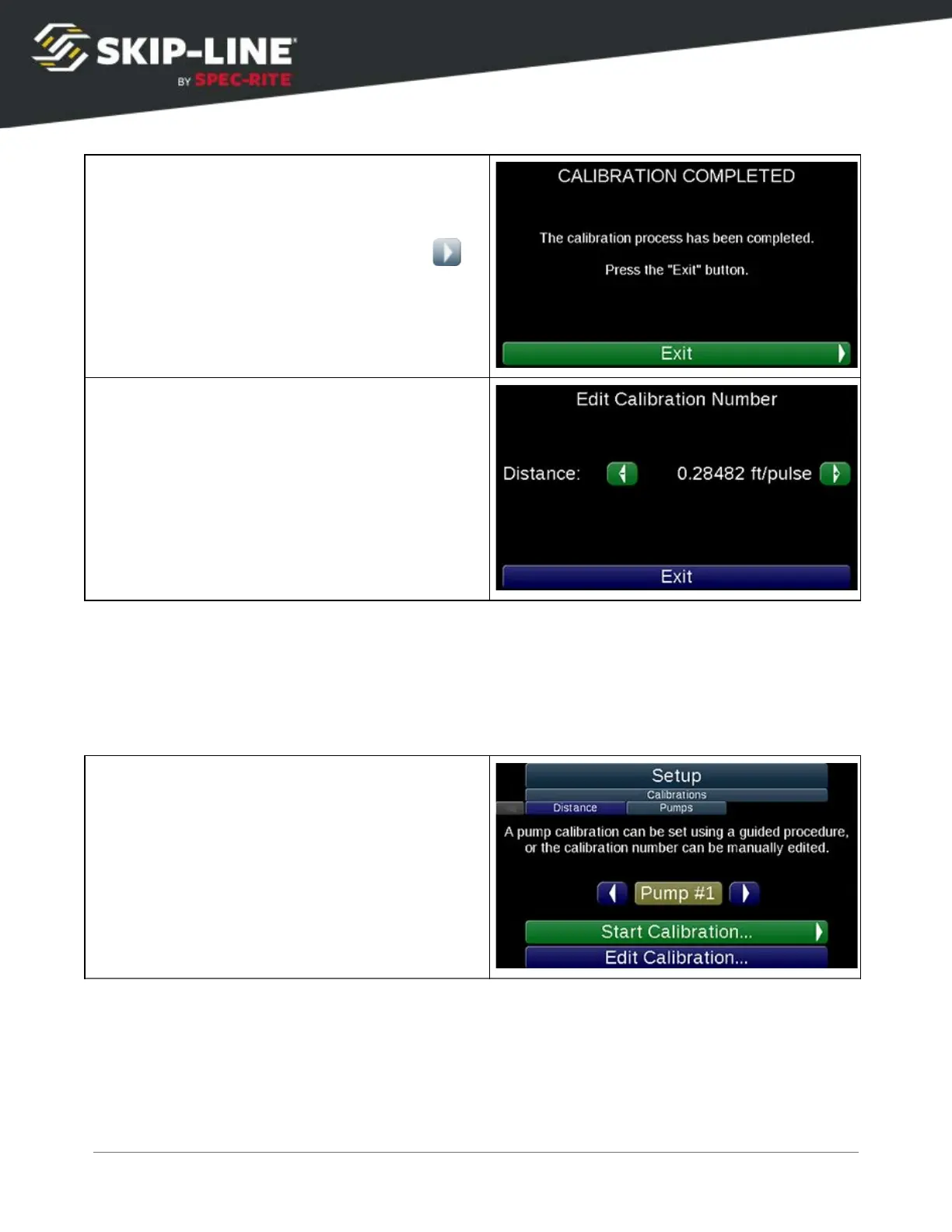
Once you have finished calibrating select
Exit
to return to the
Setup
menu.
From the
Distance
screen,
Edit Calibration
Number
allows you to manually edit the
calibration number (in feet per pulse).
Pump
If the system was purchased without pump inputs (i.e. for material application
that does not have a positive displacement pump), these menus may not be
present.
Start by selecting a Pump to calibrate. The
pump system color is indicated by the
background color of the pump.
Select
Start Calibration...
to begin the guided
calibration process. This is the recommended
process for calibration.
Alternately, select
Edit Calibration...
to view or
directly modify the calibration number.
SC-12 Road Marking Control System - Installation and Operation Manual
37



 To Next Page