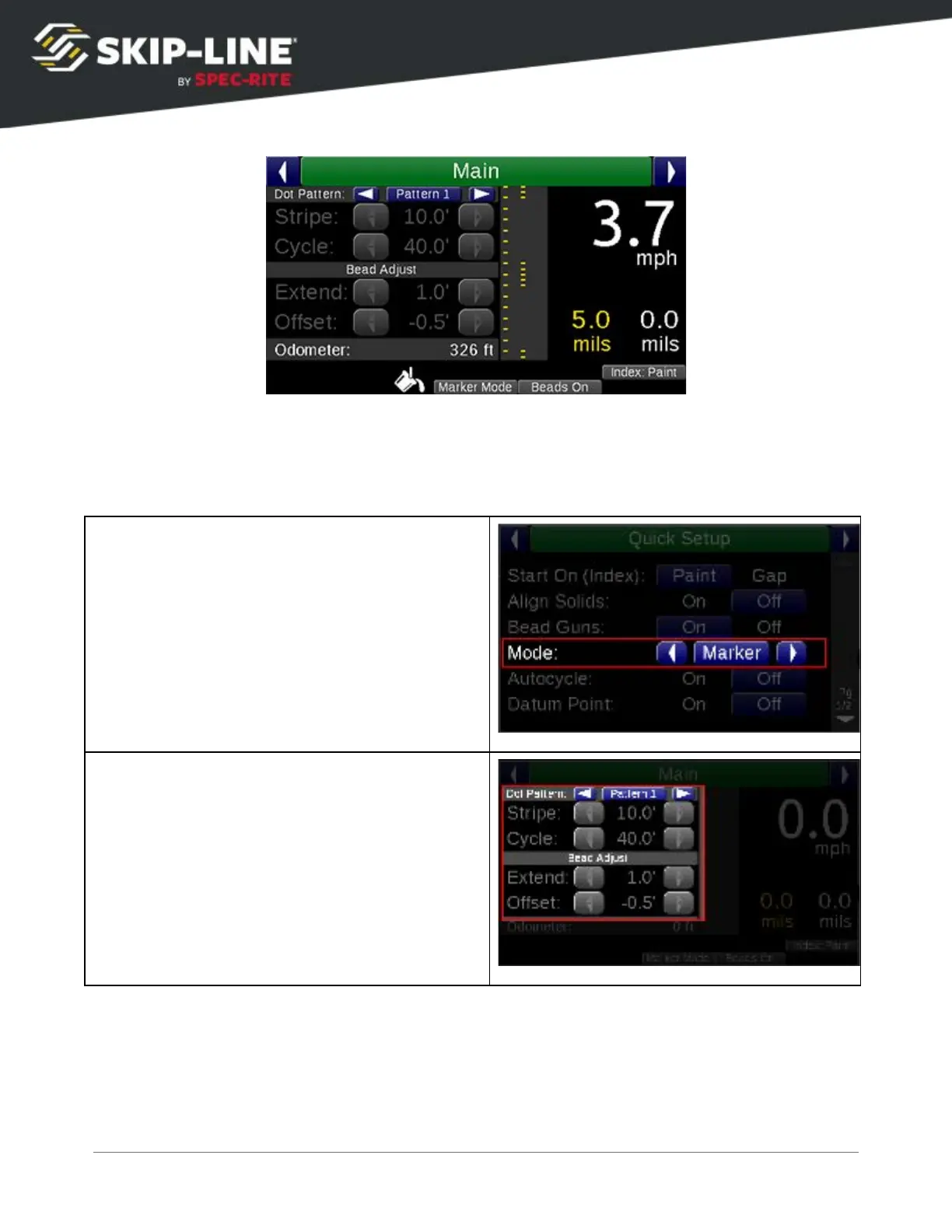
Marker layout mode
can be enabled on the Quick Setup
menu (see 4.3.1,
Mode
). When enabled, the main screen Stripe and Cycle parameters are
disabled.
Each Marker Layout pattern consists of distinct settings for Skip
and Solid.
In the
example below, Dot Pattern 1 contains the separate settings for Skip
and Solid
.
Gun 1 is on SOLID, and Gun 3 is on SKIP. Gun 1 has been set to dot at 5’
intervals, while Gun 3 is set to do a 10’ Stripe of dots at 2.5’ spacing.
SC-12 Road Marking Control System - Installation and Operation Manual
39



 To Next Page