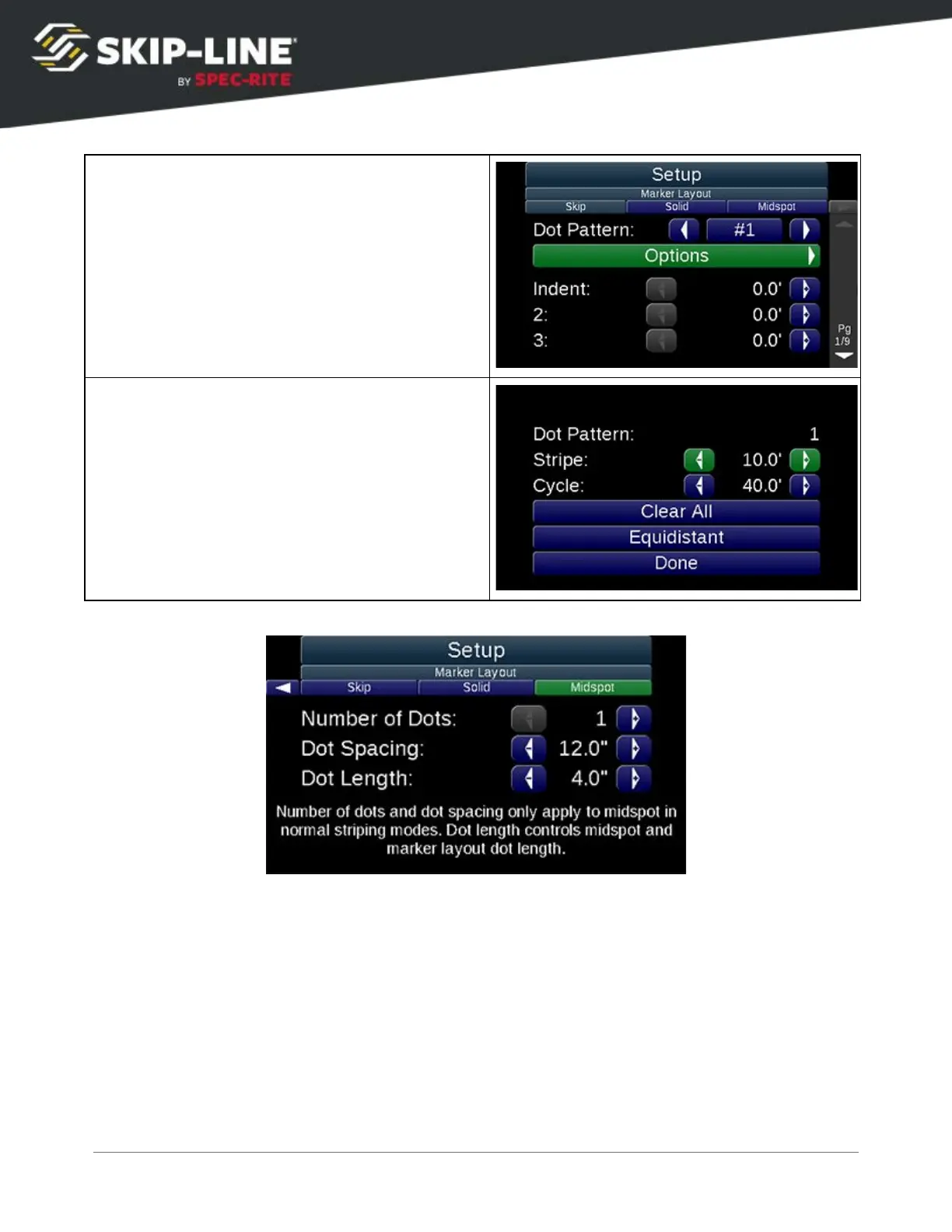
Under either
Skip
or
Solid
, depending on what
pattern you would like to edit, select a
Dot
Pattern
and then select
Options
for more
settings on that specific pattern.
Clear All
: Clears all marker positions. Only the
first marker will be present.
Equidistant
: Allows you to set the distance of
the Stripe or Cycle, and the number of dots
desired in that distance. The dots will be
separated equally across the entered distance.
Dot Length controls the length of the dot, in inches. Set it to the desired dot
length. If the dot is small or if the gun does not have enough time to turn on,
you may need to adjust Paint Gun Delays.
Midspot length is also determined by the Dot Length parameter.
SC-12 Road Marking Control System - Installation and Operation Manual
41



 To Next Page