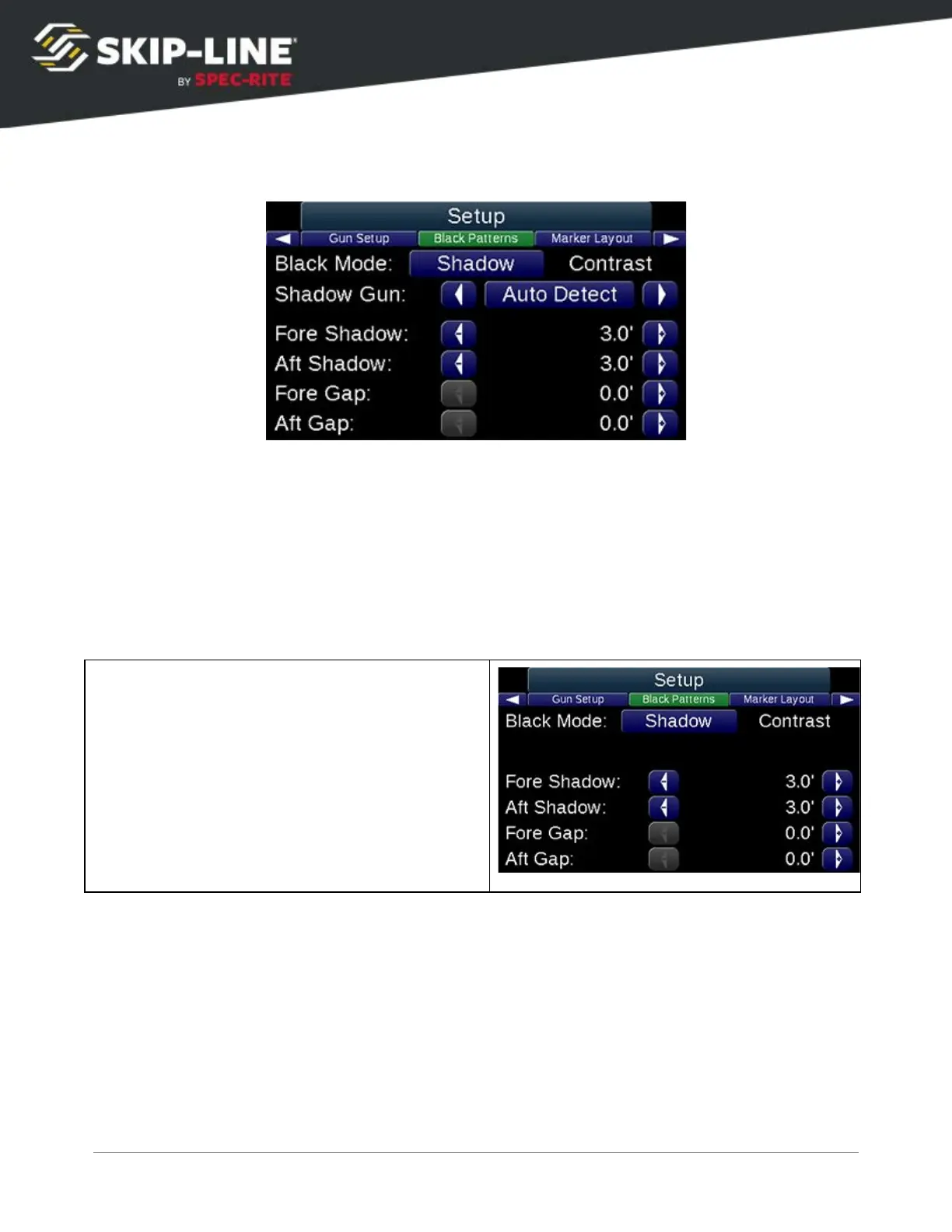
Black Patterns
Black patterns
cause the special Black Gun to have specific behavior. On some
skip timers, this is configurable. On others, the special Black Gun behavior is
fixed to Gun #4. Physical mounting of the black material gun is important when
using this special mode. Refer to the Pattern Preview
area on the Main screen
to see the expected pattern.
The Black Pattern setup is engaged when the Black
mode is enabled on the
Quick Setup
menu (see 4.3.1,
Mode
).
There are two Black Pattern modes that can be selected in the setup:
➢ Shadow: Shadow mode applies paint before and/or after the stripe. When the
black gun is in Skip
, the fore shadow/aft shadow lengths will be applied as
entered. When the black gun is in Solid
, it will Gap Fill
(i.e., black paint will be on
for the entire gap between the end of the last stripe and the start of the next).
○ Fore Shadow: The length of black paint to be applied before the beginning of
the stripe.
○ Aft Shadow: The length of black paint to be applied after the end of the stripe.
SC-12 Road Marking Control System - Installation and Operation Manual
42



 To Next Page