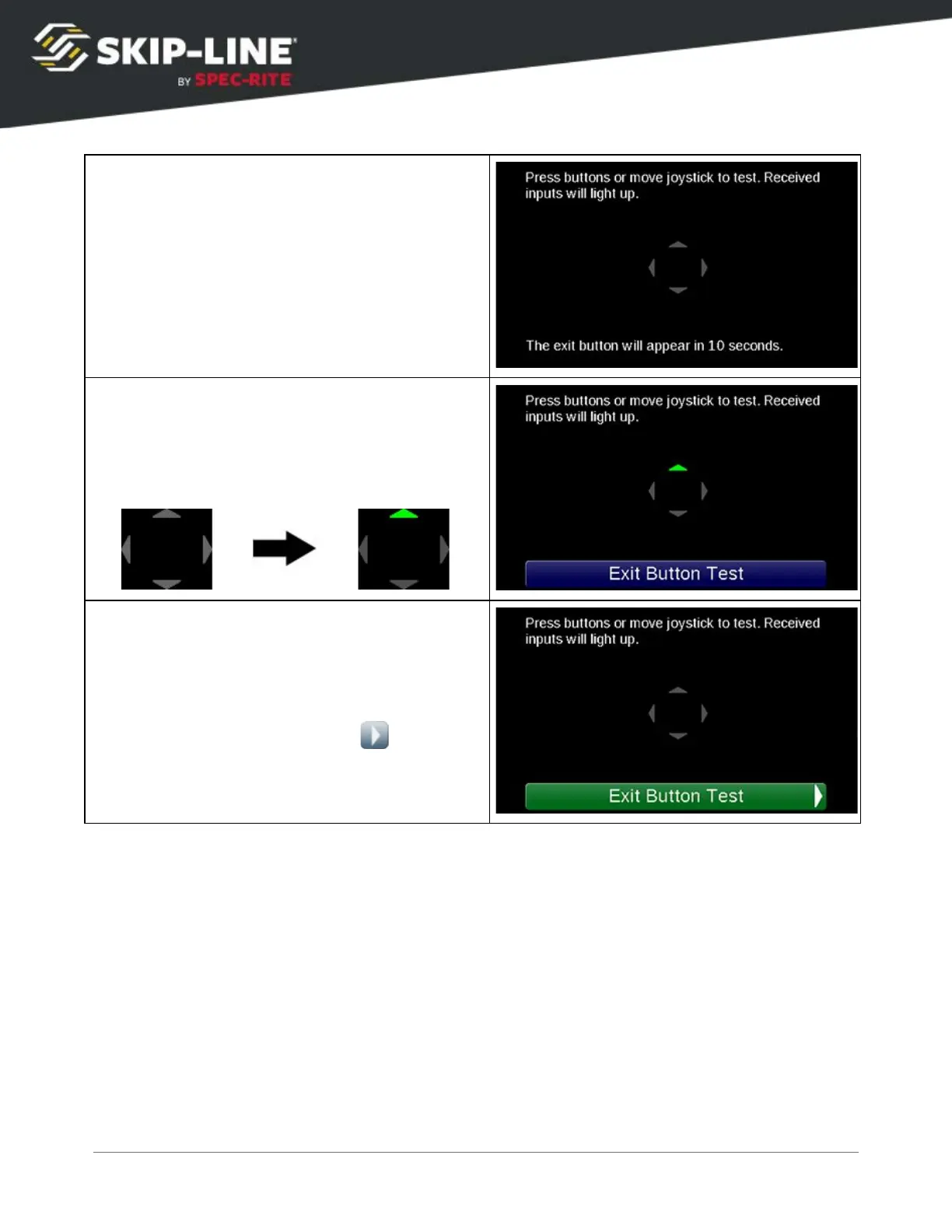
Once the
Button Test
begins, a countdown of
10 seconds will be displayed at the bottom of
the screen. At the end of the count down, the
exit
button will appear and you will be able to
exit the Button Test.
Press the navigation buttons and watch the
graphic displayed on the screen. When a button
is pressed, the corresponding arrow should turn
green for the duration of the press and return
to gray when it is released.
After the 10 second countdown completes the
Exit Button Test
button will appear. To exit the
button text, scroll down to the
Exit Button Test
button and navigate to the right . You will
be returned to the
Help
menu.
About
The About screen provides information that is useful for troubleshooting your
particular system when technical support is required. Refer to this page to find
your particular system's revision number. This information, along with the model
and serial numbers of your device, speeds troubleshooting efforts.
SC-12 Road Marking Control System - Installation and Operation Manual
48



 To Next Page