7
Skydio 2/2+ - Operator Manual © 2021 Skydio, Inc. All rights reserved.
Activate the Skydio app
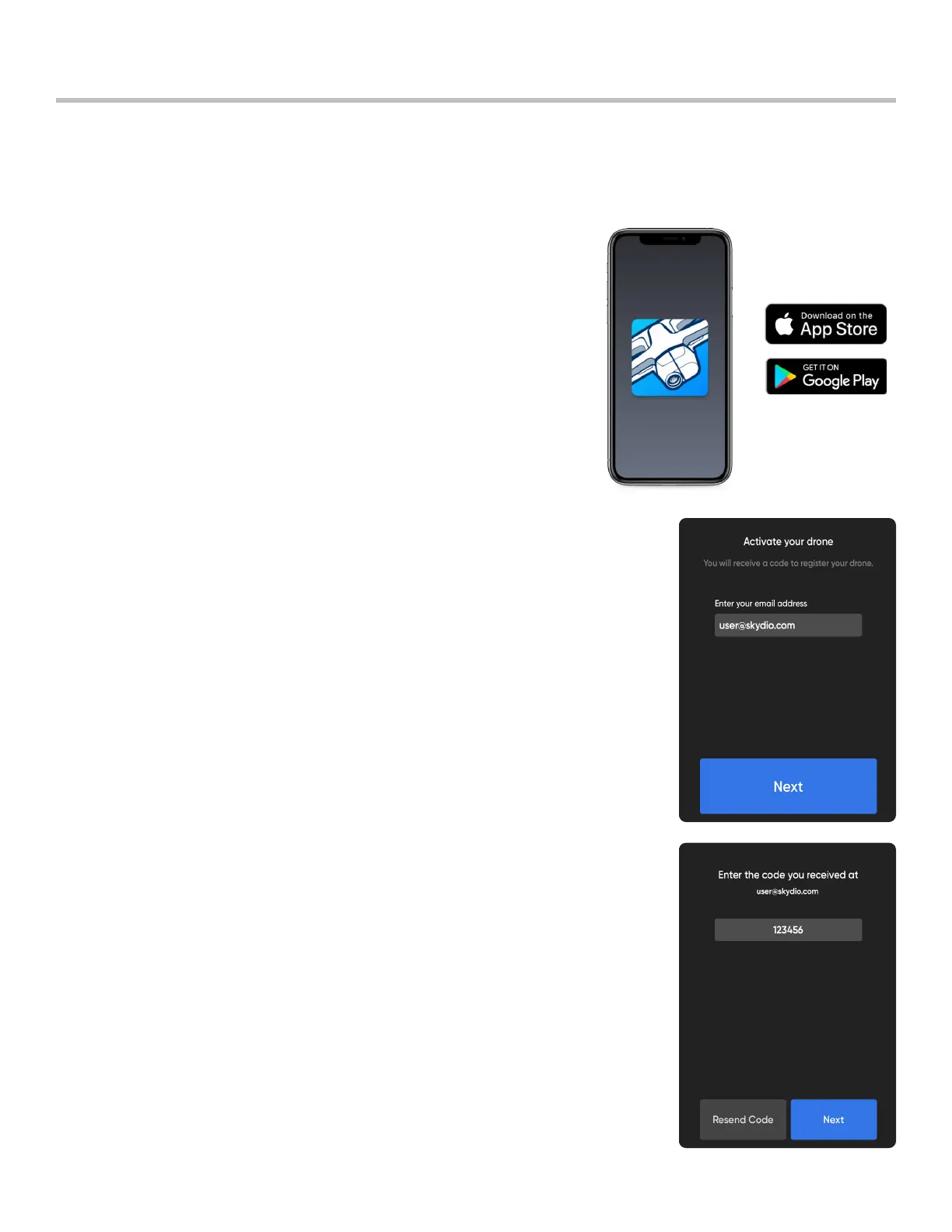
Step 1 - Install the Skydio app on your mobile device:
• available on the App Store® and Google Play
• compatible with iOS 12.0 or Android 9.0 (or later)
Step 2 - Launch the Skydio app
Step 3 - Enable location and microphone settings on your phone
• additionally, local networking on iOS
Step 4 - Power on your drone
• press and hold the battery button for 3 seconds
Step 5 - Activate your drone
• enter the email account you would like to be associated with your Skydio app
• Skydio will email you a unique registration code
Step 6 - Enter the code sent to your email
• select Next
Step 7 - Enter your Skydio WiFi name and password when prompted
• located on the sticker attached to the drone or inside the battery tray
• remove the sticker attached to the drone before flying
The Skydio app on your mobile device is used to fly your Skydio 2/2+, update your system, format your SD memory
card, and view and manage your media.
Pre-Flight



 To Next Page