14
Skydio 2/2+ - Operator Manual © 2021 Skydio, Inc. All rights reserved.
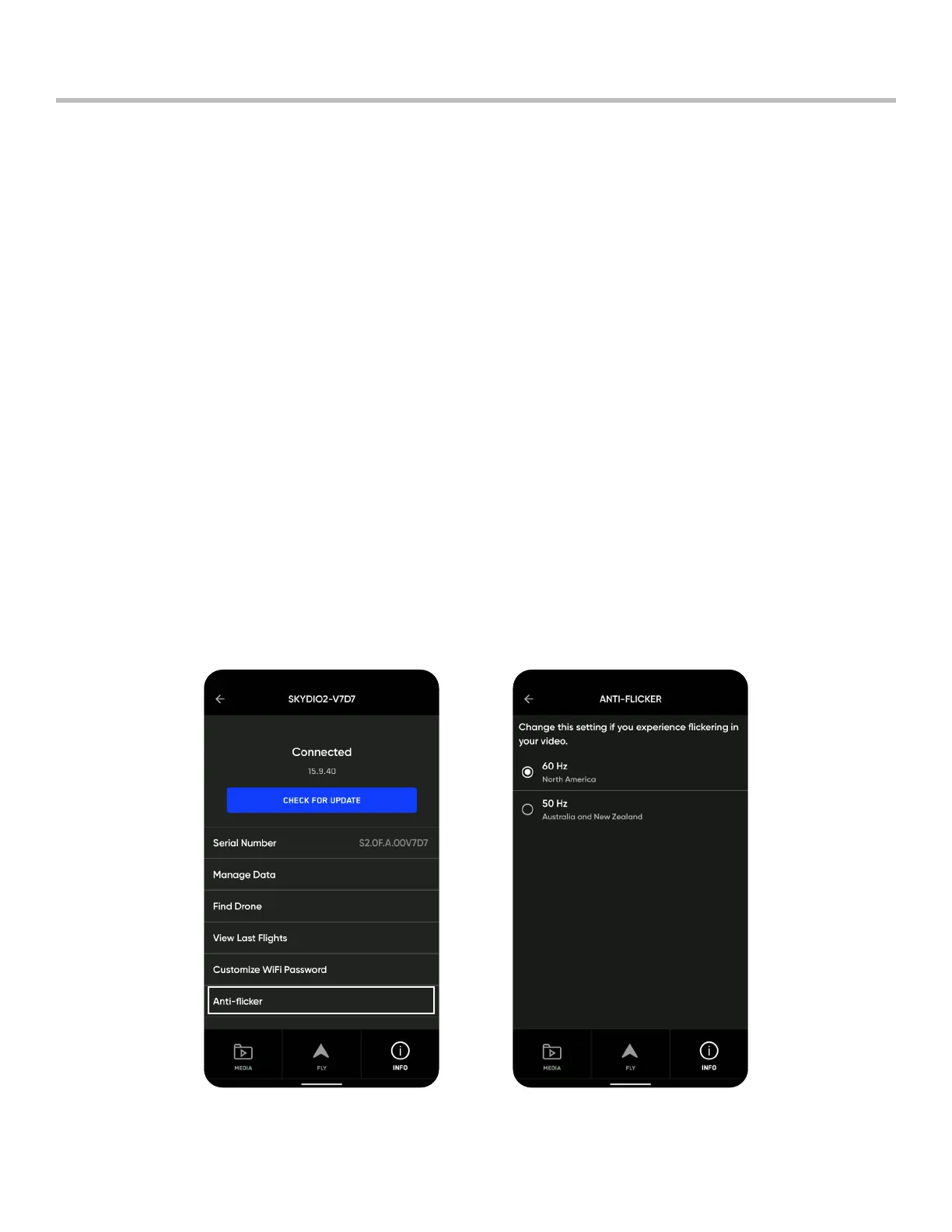
Anti-flicker
Pre-Flight
Adjust Anti-flicker settings if you experience flickering in your video. This setting is for users located outside of North
America, in countries where the frequency of the alternating current in household electrical outlets is 50 Hz.
Step 1 - Select the INFO menu
Step 2 - Select your drone name
Step 3 - Select Anti-flicker
These are standard 5 GHz WiFi channels that correspond to the following frequencies:
• 36: 5180 MHz
• 40: 5200 MHz
• 44: 5220 MHz
• 48: 5240 MHz
• 149: 5745 MHz
• 153: 5765 MHz
• 157: 5785 MHz
• 161: 5805 MHz
• 165: 5825 MHz
Skydio recommends leaving Channel Selection set to Auto for best results.



 To Next Page