13
Skydio 2/2+ - Operator Manual © 2021 Skydio, Inc. All rights reserved.
NOTE: Controller settings are only available when your Controller is connected to your drone. If you are piloting your
drone using the Controller your maximum speed 36 mph.
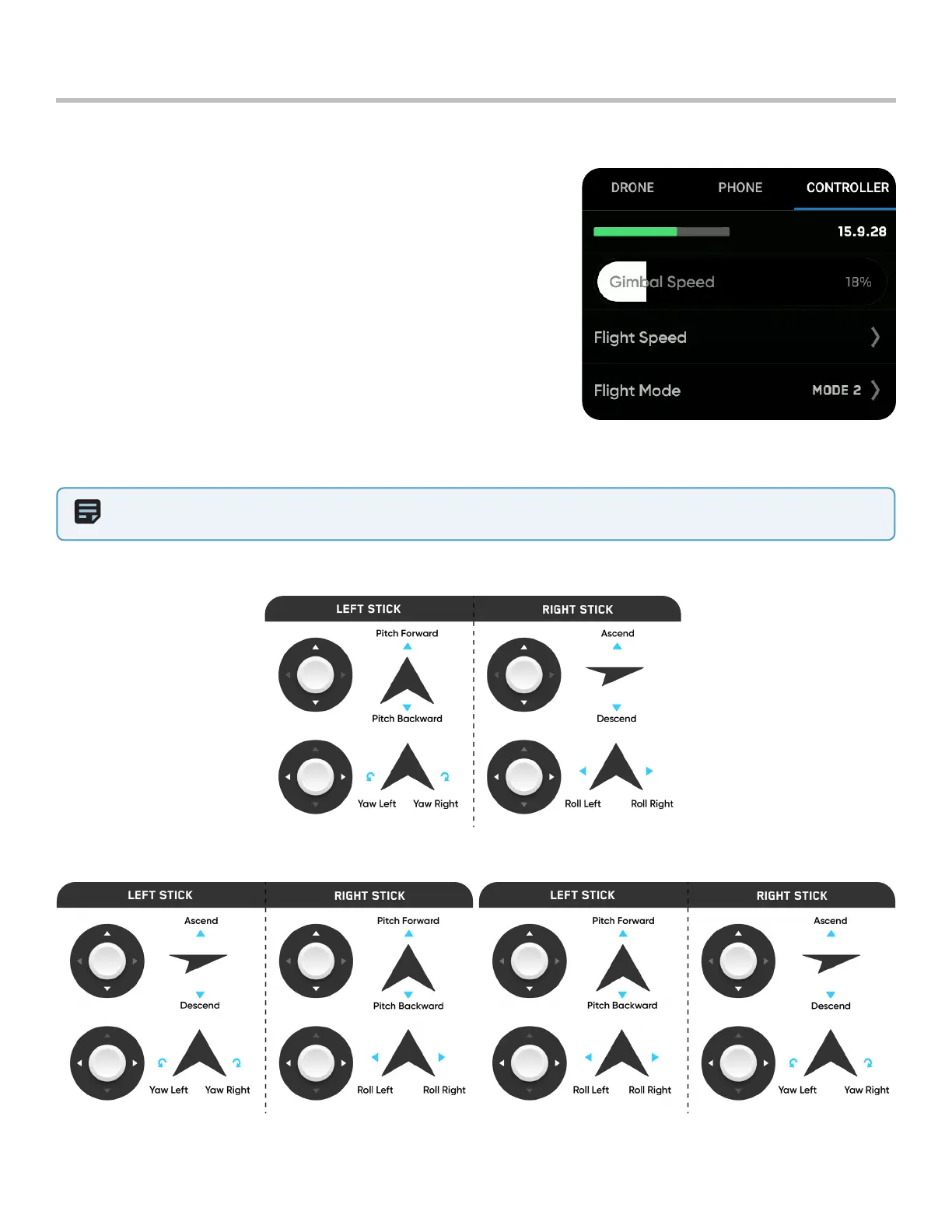
Gimbal Speed
• Controls how quickly the camera gimbal pitches up and down
Flight Speed
• Switch between default and custom sensitivity settings for the
roll, pitch, yaw and throttle inputs
• Default settings are fixed and cannot be changed
• Custom settings may be adjusted
Flight Mode
• Switch between Mode 1, Mode 2 (default), and Mode 3 style flight
controls
Controller Settings Menu
Pre-Flight
Mode 1
Mode 2 (default) Mode 3



 To Next Page