69
SJ9233 RT, SJ9243 RT, SJ9253 RT 221491AAA
Use the platform control console from the ground Section 6 – Additional Procedures
2. Remove the wheel chocks or blocks.
3. Push, winch, or tow the MEWP to the necessary
location.
4. Put the MEWP on a firm, level surface.
5. Use wheel chocks or blocks at the front and rear
of the wheels to prevent MEWP movement.
6. Pull out the plunger of the brake auto-reset
valve to re-engage the brakes.
WARNING
Engage the brakes immediately after the MEWP is
at the necessary location. If you do not obey, there
is a risk of death or serious injury.
7. Turn the freewheeling valve knob clockwise to
a fully close position.
6.4 Use the platform control
console from the ground
WARNING
The correct operator location is with the platform
control console attached to the right-front side
of the platform. Only operate the MEWP from the
ground in these conditions:
▪
To do maintenance
▪
When you cannot do work safely from the
position of the operator on the platform
because of an obstruction
▪
To fold the guardrails.
If you do not obey, there is a risk of death or
serious injury.
6.4-1 Disconnect and remove the
platform control console
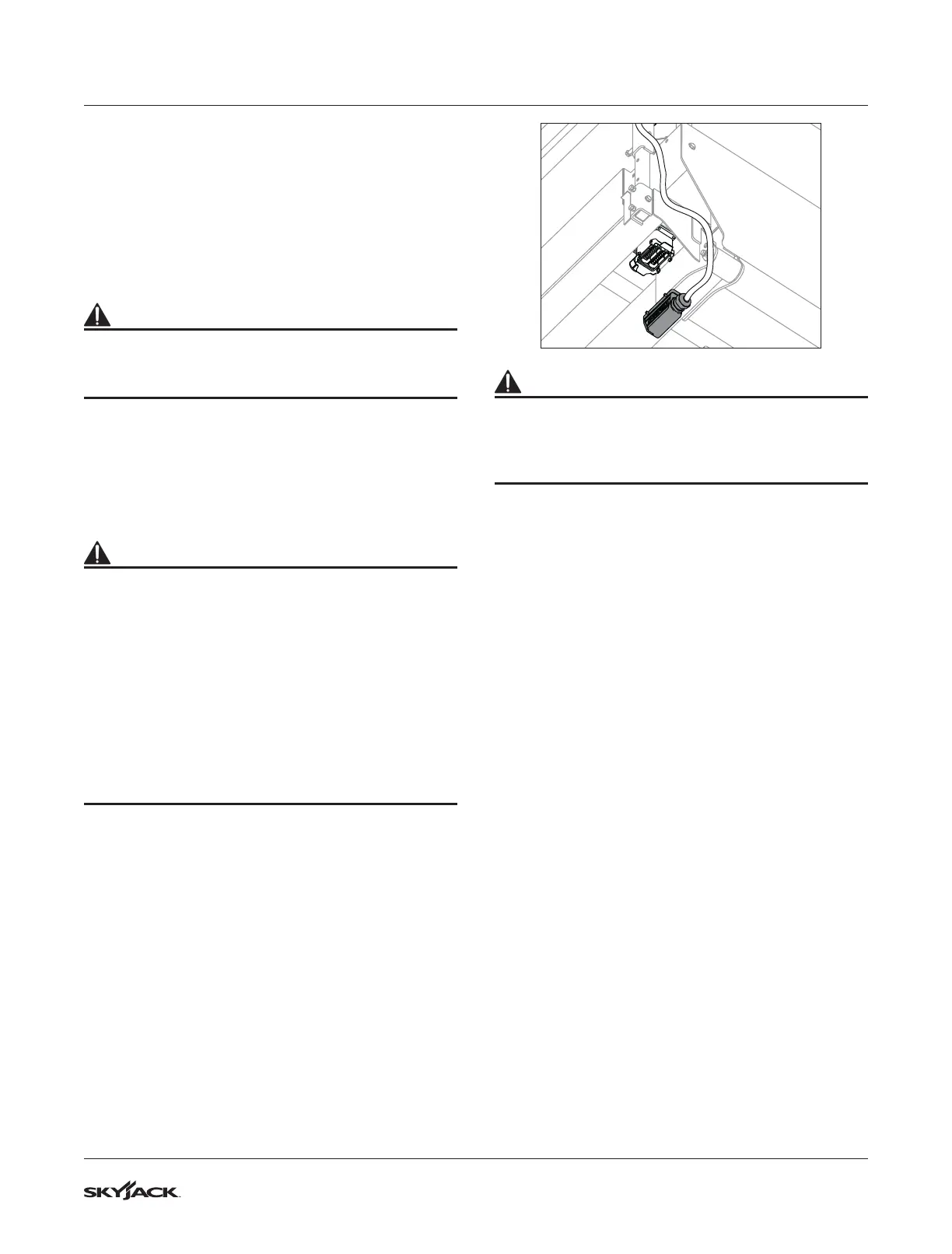
1. Disconnect the platform control console cable
from the electrical plug under the platform.
WARNING
Fall Hazard. Use the three points of contact
principle when you use the MEWP ladder to enter
or exit the platform. If you do not obey, there is a
risk of death or serious injury.
2. Use the MEWP ladder to enter the platform.






 To Next Page