92
221491AAA SJ9233 RT, SJ9243 RT, SJ9253 RT
Section 8 – Labels Platform control labels
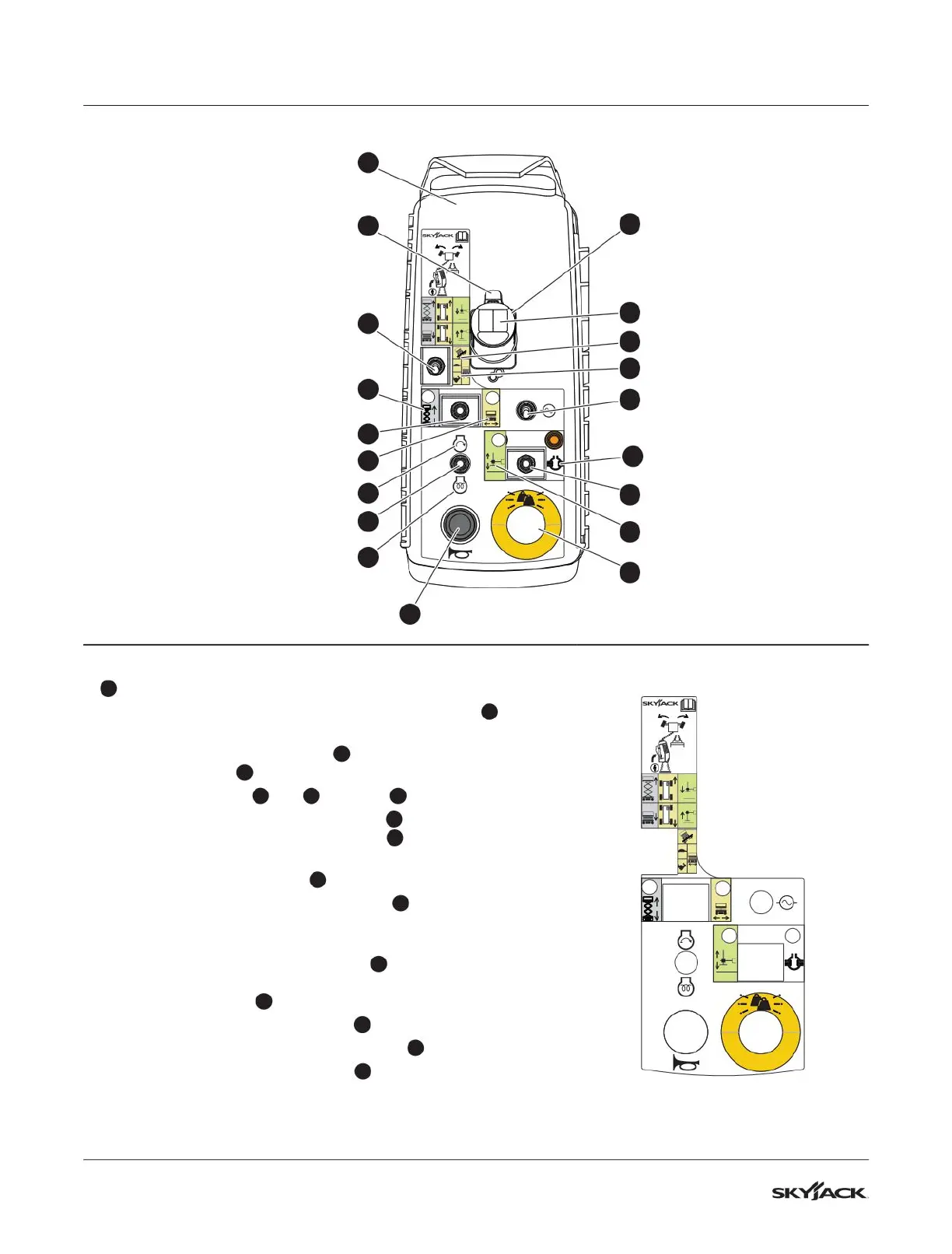
Description Label Pictorial
1
Platform controls
▪
Squeeze and hold the function-enable switch
2
to
energize the lift, drive, steer, and auto-level functions.
▪
Select the inclined drive
3a
(low speed/high torque) or
level drive
3b
(high speed/low torque) mode.
▪
Select the lift
4a
, off
4
, or drive
4b
mode.
▪
Select the engine start position
5a
to start the engine,
or select the glow plug position
5b
to energize the glow
plugs to start a cold diesel engine.
▪
Push the horn button
6
to make a sound like a car horn.
▪
Push the emergency-stop button
7
to disconnect power
to the control circuit. Pull the emergency-stop button to
connect the power again.
▪
Select the auto-level position
8a
to extend and retract the
outriggers and make the MEWP level, or the differential
lock position
8b
to engage the differential lock.
▪
Select the generator switch
9
to start the generator.
▪
Operate the steering rocker switch
10
to steer.
▪
Move the controller handle
11
to control the lift, drive, and
outrigger/auto-level movements.
TM
8.2 Platform control labels
TM
2
11
10
9
8b
8a
6
3
3a
3b
7
4a
4
4b
5a
5
5b
8
1






 To Next Page