GB 10
7. The OSD menu – channels
1.1.5.4 Edit
Under the “Edit” menu you will see further options for editing TV and radio channels. Press the [5]
button.
1.1.5.4.1 Delete see 1.1.5.1 [왖왔] Selection, [왗왘] Channel, [«»] Page
1.1.5.4.2 Skip sees 1.1.5.2
1.1.5.4.3 Block sees 1.1.5.3
1.1.5.4.4 Modify
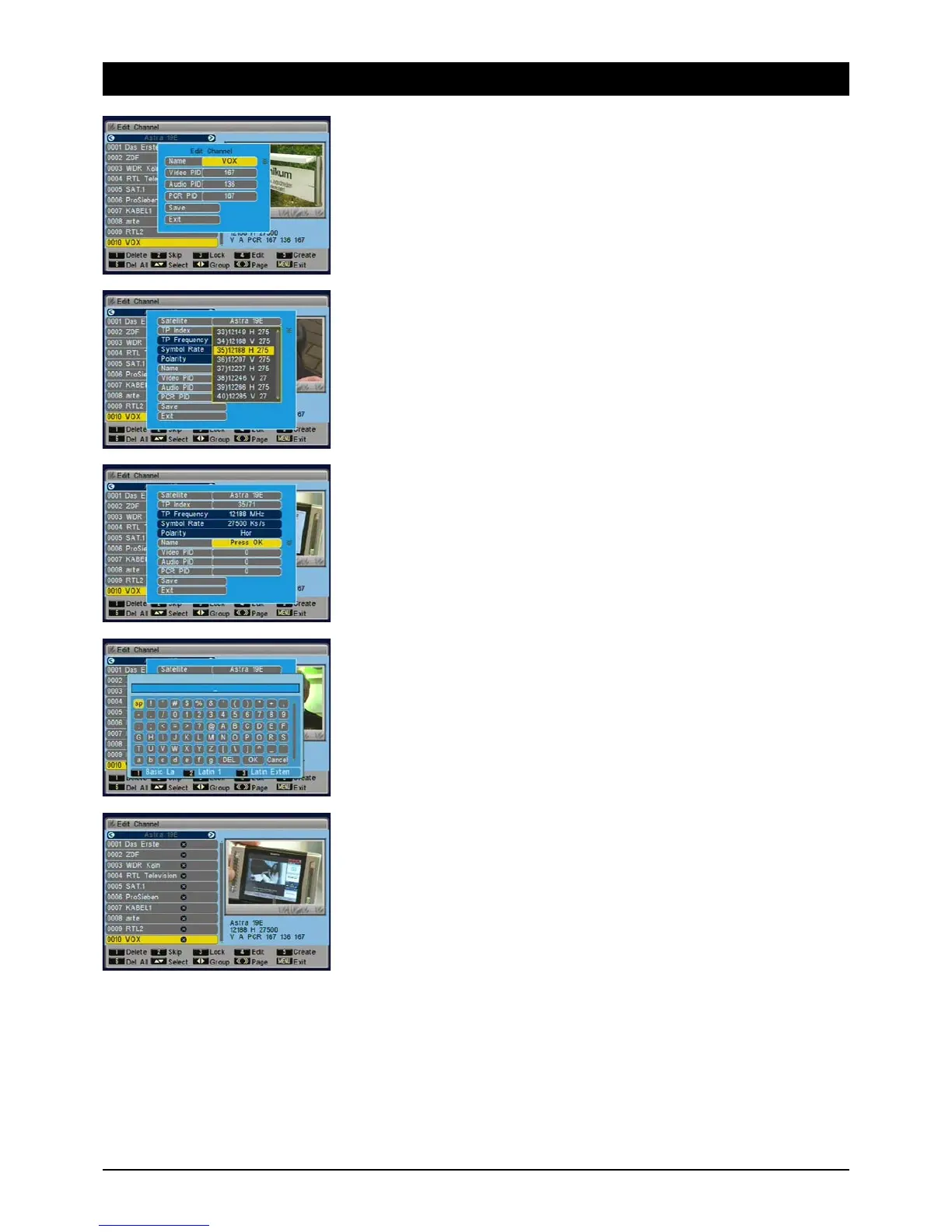
Under “Modify” you can edit channel names and PIDs. Only advanced users should carry out these
modifications. To open the menu, press the [4] button.
1.1.5.4.5 Compile
To add a single channel. This feature is also intended for advanced users only. Choose the
appropriate transponder where the channel is located. Enter the future name of the channel using
the on-screen keyboard and the PIDs for video, audio and PCR and go to “Save”. Note: these
settings are not required for everyday use. You can find convenient options to search automatically
for channels under “Reception”.
To enter the station name choose “Name” and press the OK button.
A keyboard appears on the screen, which you can operate using the [NAV] buttons. Add spaces
using the [SP] button, to delete use the [DEL] button. Confirm letters and figures with the [OK]
button on the remote control. To quit the keyboard, press the [OK] button.
Press buttons [1], [2] or [3] and other options are available.
1.1.5.4.6 Delete all
Highlight ALL channels by pressing the [6] button. After you quit the menu a prompt for confirma-
tion appears, asking if really want to delete ALL the channels.



 To Next Page