5| INSTALLING YOUR SMART BOARD 685IX PREMIUM INTERACTIVE
WHITEBOARD SYSTEM (APPLIANCE-BASED)
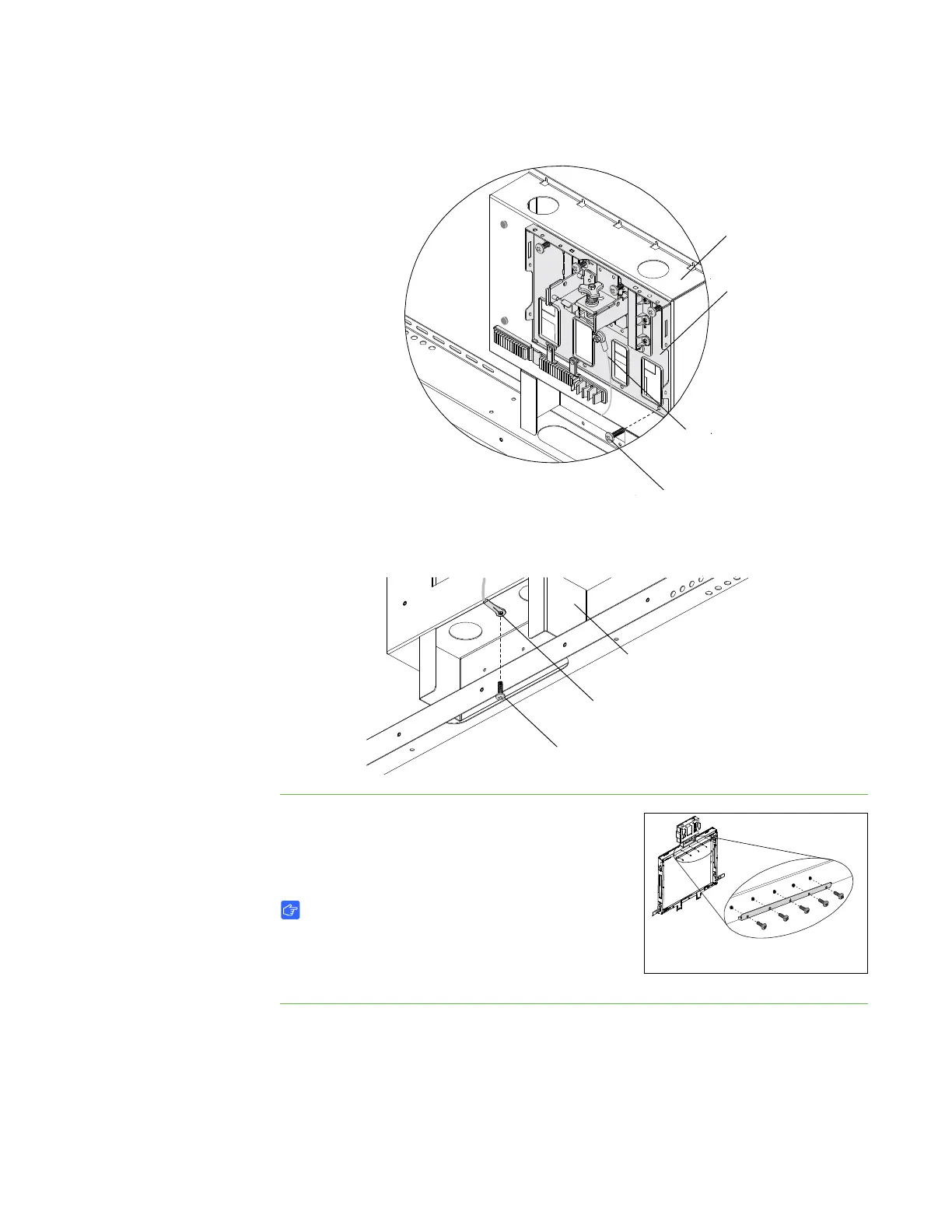
3. Insert one screw into the hole in the bottom-right corner of the projector support.
4. Use one screw to attach the loose end of the security cable to the bottom of the
projector support.
To install the wall mount
bracket
Using a Phillips No. 2 screwdriver, secure the wall
mount bracket to the wall mount with the included
screws.
IMPORTANT
Use only one of the two wall-mounting brackets
provided with your SMART Board 685
interactive whiteboard.
Screw (×1)
Projector
Mounting
Plate
Security
Cable
Projector
Support
Security
Cable
Screw (×1)
Projector
Support



 To Next Page