10 | INSTALLING YOUR SMART BOARD 685IX PREMIUM INTERACTIVE
WHITEBOARD SYSTEM (APPLIANCE-BASED)
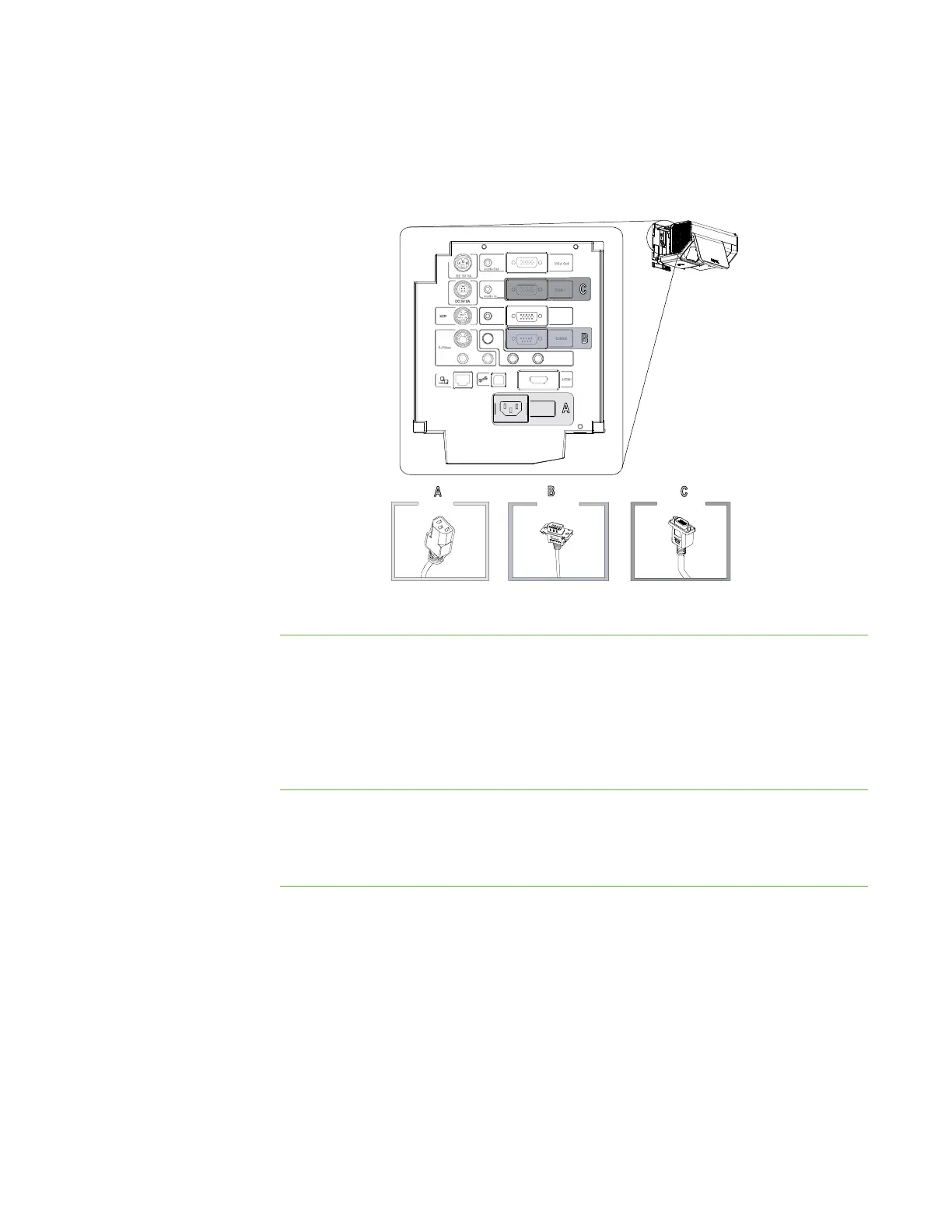
4. Connect the power cable (A), the serial cable to the Control connector (B) and
the video cable to the VGA 1 input (C) to the projector connection panel’s
connectors.
5. Replace the cover.
Securing the cables
Before you mount the interactive whiteboard on the wall mount, secure the cables to
prevent strain on connectors and to keep excessively long cables hidden behind the
interactive whiteboard.
To secure the cables Using the included cable ties, secure all the cables to points inside the wall mount
frame, ensuring that they don’t interfere with the interactive whiteboard when it is
mounted on the frame.
VGA 2
Audio In
Composite Video
100V - 240V
50 Hz - 60 Hz



 To Next Page