4| INSTALLING YOUR SMART BOARD 685IX PREMIUM INTERACTIVE
WHITEBOARD SYSTEM (APPLIANCE-BASED)
Installing the projector mount and wall mount bracket
To install the projector mount, use the screws labelled f (×7) shown on page 27 of the
FUWM-600 SE240/VE220 installation guide.
To install the projector
mount
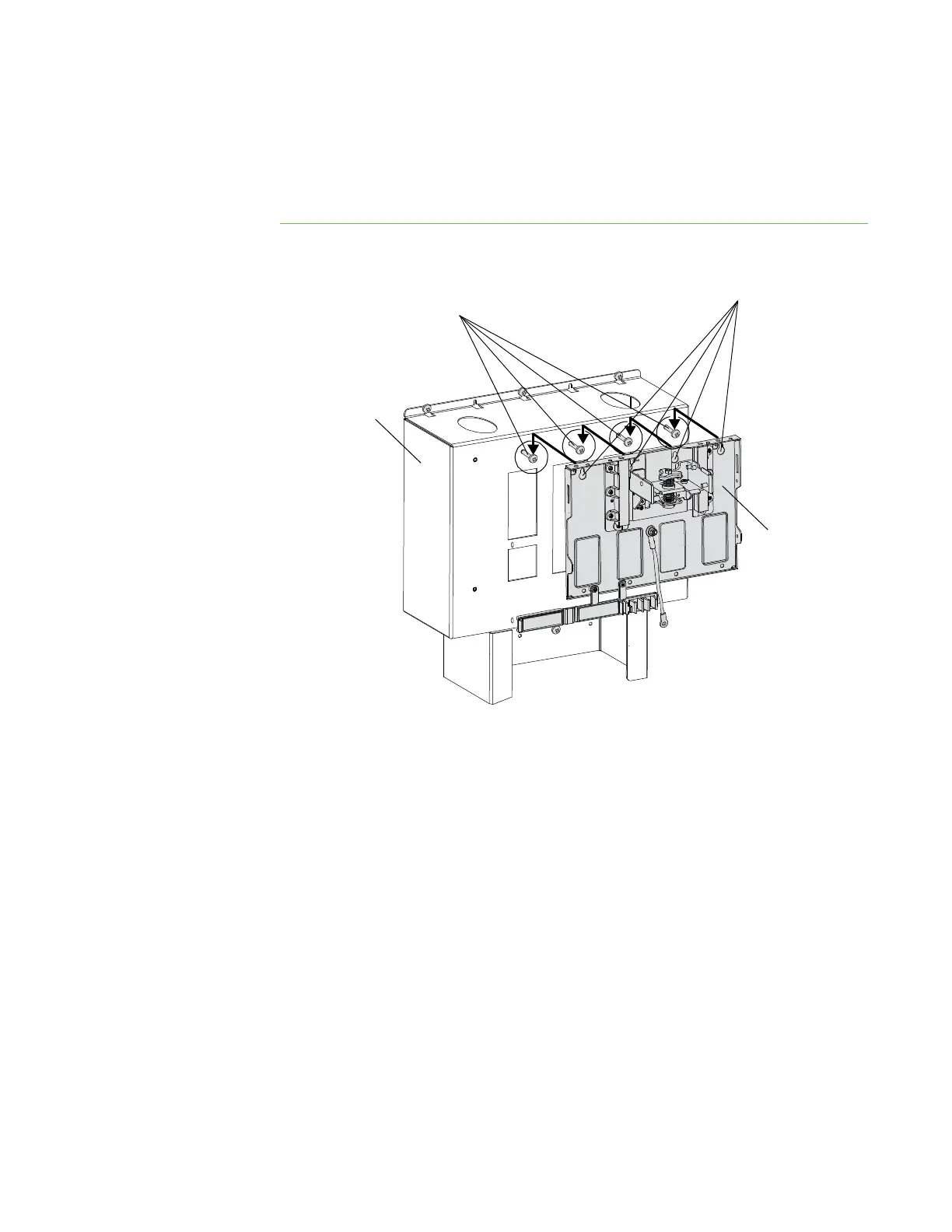
1. Using a Phillips No. 2 screwdriver, insert four screws into the four top-right holes
of the projector support leaving the screw heads 1/4" (6 mm) from its surface.
2. Place the projector mounting plate keyholes over the screws, and then tighten
the screws.
Projector
Mounting
Plate
Screws (×4)
Keyholes (×4)
Projector
Support



 To Next Page