7| INSTALLING YOUR SMART BOARD 685IX PREMIUM INTERACTIVE
WHITEBOARD SYSTEM (APPLIANCE-BASED)
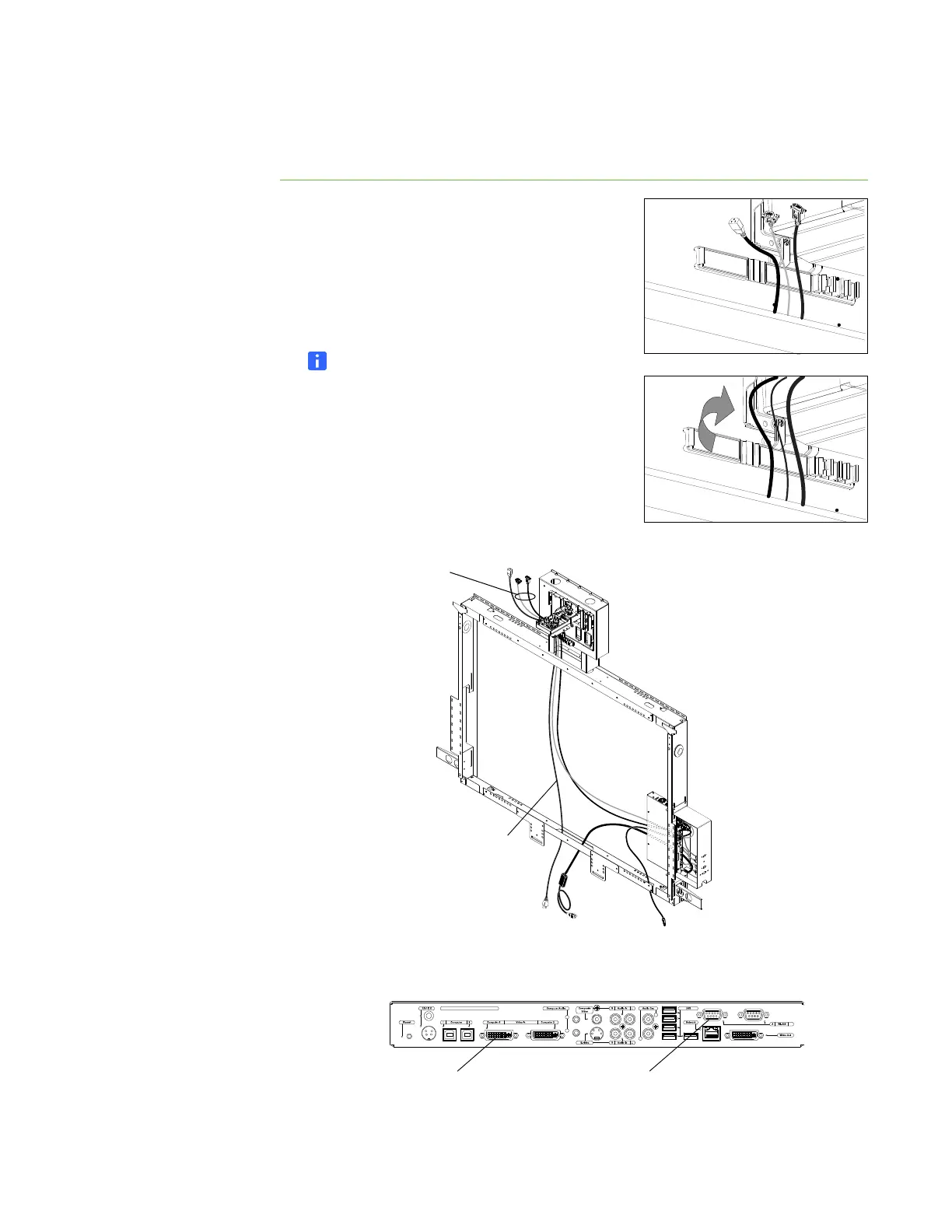
Installing the projector cables
To install the projector
cables
1. Open the wire management clip, if it isn’t
already open.
2. Place the video cable, serial cable and the
female end of the power cable to the left of the
clip leaving enough length to connect to the
projector’s connectors.
NOTE
Don’t let the cables cross as they pass
through the clip.
3. Close the wire management clip.
4. Connect the video and serial cables to the hub.
Video and
Serial Cables
Projector
Power
Cable
L
R
2
1
SMART Collaboration Appliance SCA-100
SMART Hub Connection Panel
Video Connection
to Projector
Serial Connection
to Projector



 To Next Page