10
2.1 Rear View Camera Installation
Rear View Camera
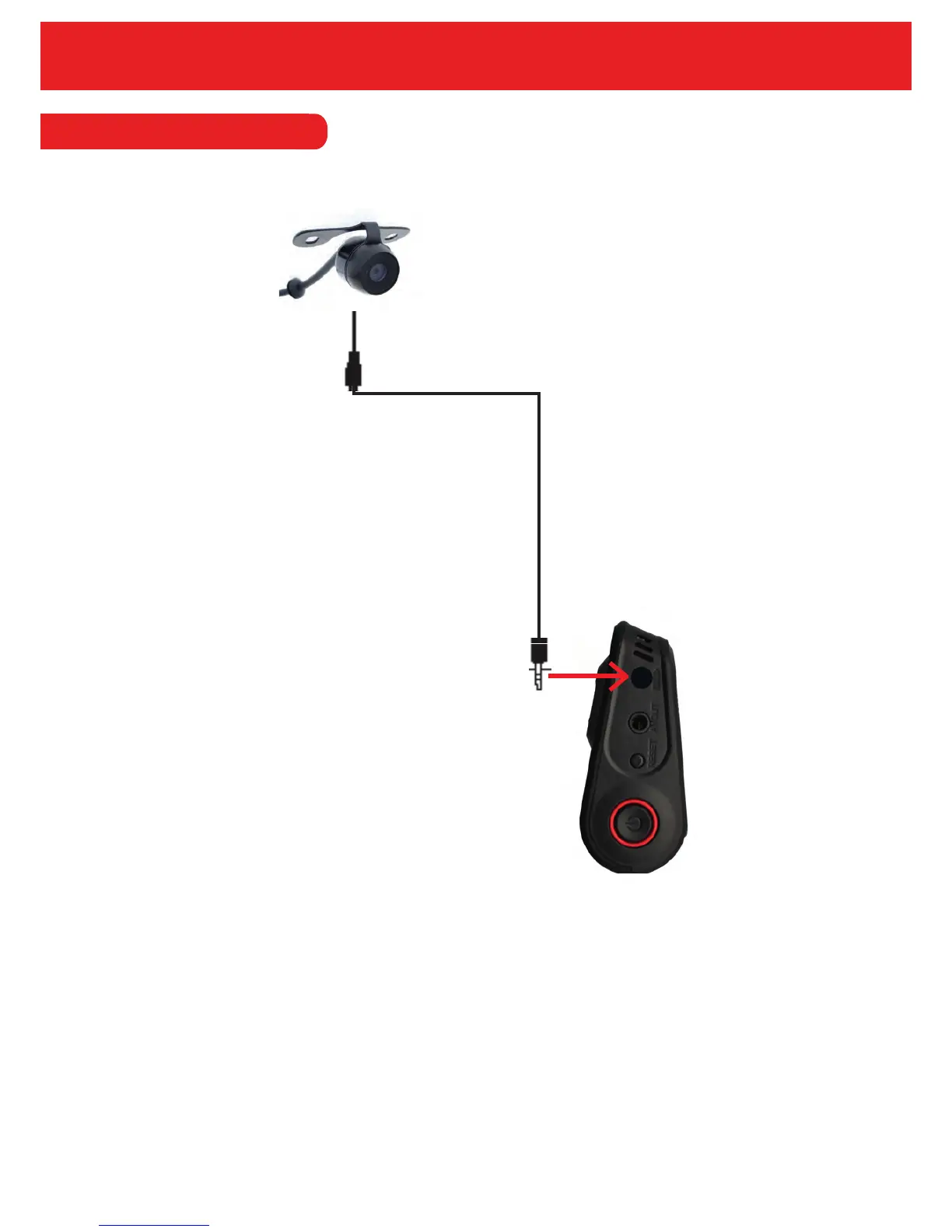
To connect the rear view camera, simply plug into the ‘camera in’ connection (as pictured above).
Once plugged in, the cameras image will show on the Duo LCD along with the main image from
the Duo.
Please note that the AV OUT on the Duo is only used for playback on a larger screen. However,
you can playback on the Duo itself rather than through an external monitor.


 To Next Page