1.4 Installation
6
To Install the Smart-i Duo in your car, please follow the steps below:
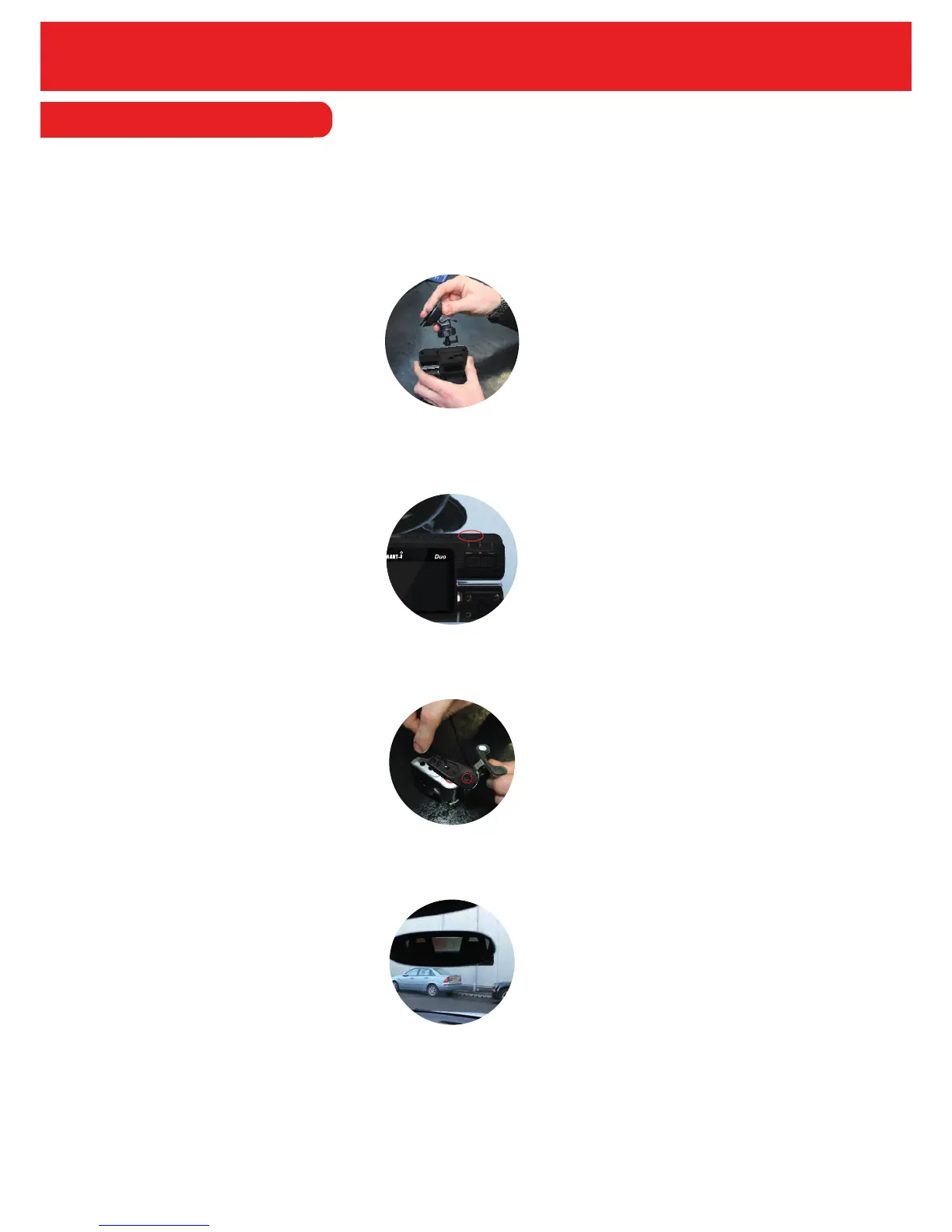
1. Firstly, take out the Smart-i Duo and the Windscreen Mount.
2. Attach the Windscreen Mount to the unit.
5. Position the Smart-i Duo at the front of the car. Please note that the recorder should be
placed behind the rear view mirror to comply with regulations.
3. Insert the Micro SD Card (if purchased) into the unit. To insert, place the card in the slot
(shown below) until you hear a slight click sound confirming the card has been placed
successfully.
6. Take out the ‘USB to Cigarette Lighter Adaptor’
7. Connect the USB end of the Cigarette Lighter Adaptor to the Smart-i Duo and the other end to
the Cigarette Lighter Power Socket.
8. Turn on the ignition to power the unit.
9. Finally, press the ‘Power On’ to turn the unit on.
4. Plug in the additional camera by inserting the Phono cable from the additional camera into
the Phono Socket of the Smart-i Duo.


 To Next Page