APPENDIX A
CONFIGURING AND CALIBRATING YOUR SMARTBOARD E70 INTERACTIVE FLAT PANEL WITH WINDOWS
26 smarttech.com/kb/170534
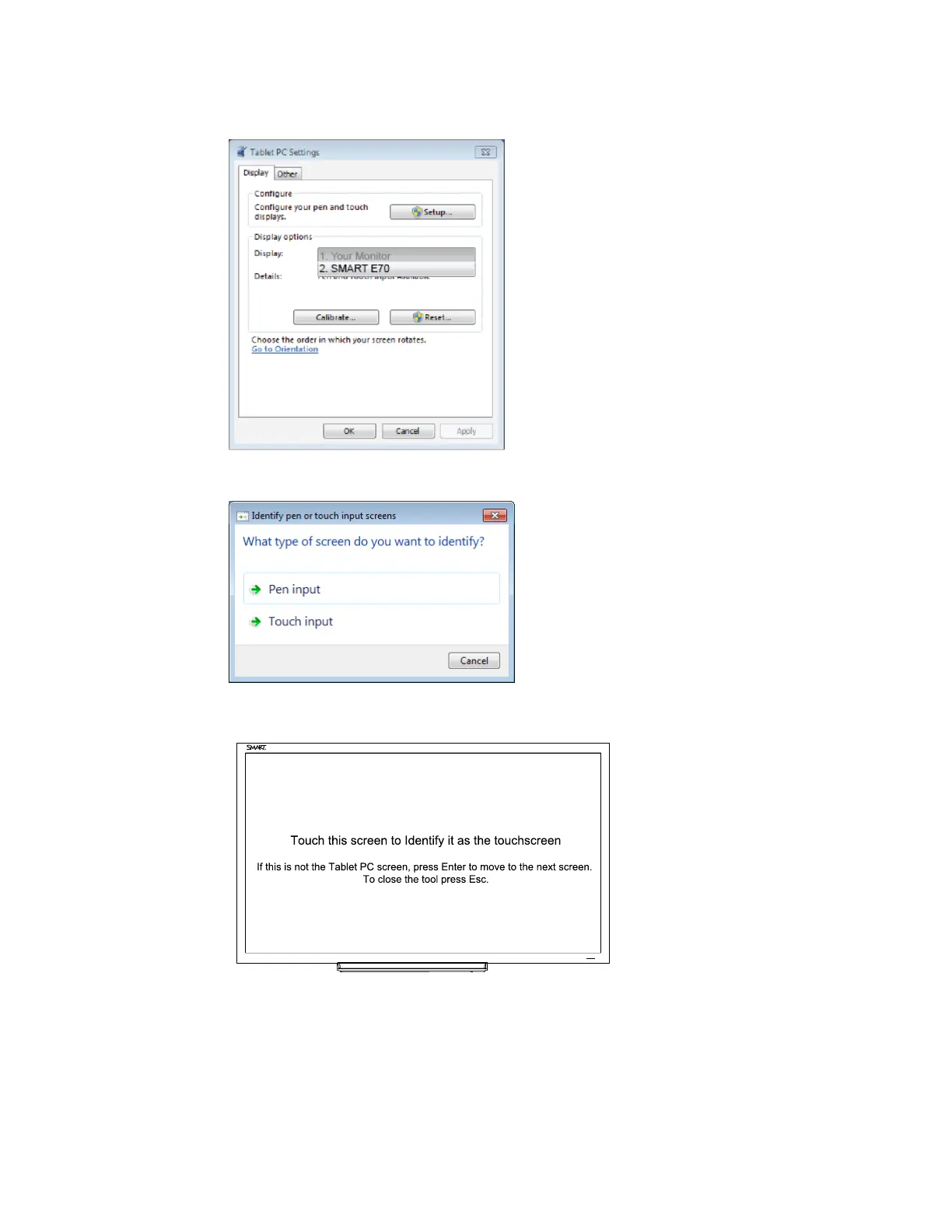
2. Click Setup Windows displays the following page; select Touch input.
3. Windows displays the following page on your first display:
4. If necessary, press Enter until the page is displayed on your touch screen.
5. Tap your touchscreen two or three times until the text changes.



 To Next Page