SMARTEYE Netx Ethernet IP Control Unit User Manual Page 16
Filename: netx IP Platform User Manual R0 .doc
…
In Control
A
M
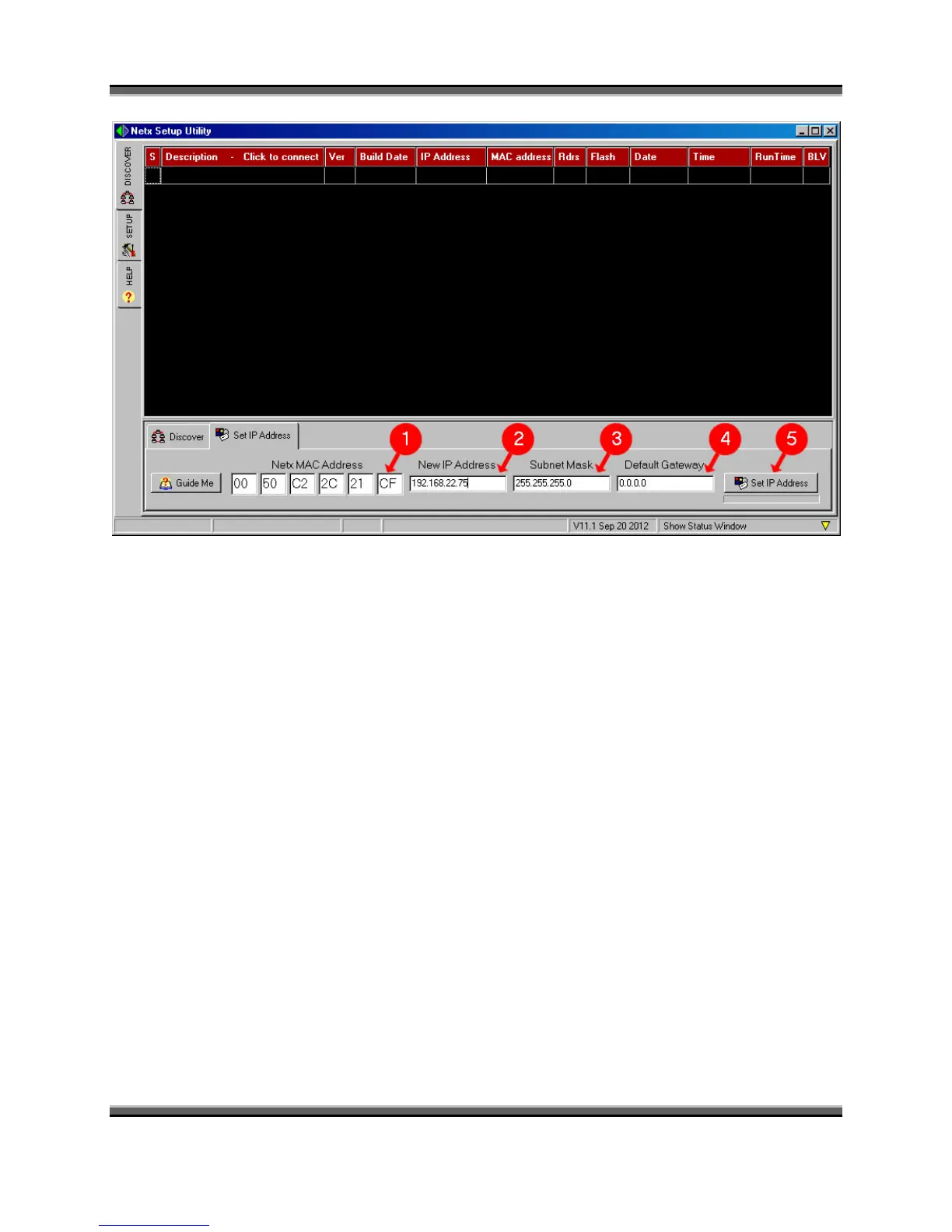
1. In the MAC Address field, type in the 12 digit MAC address for the unit to be
configured.
2. Enter the assigned IP address for this unit into the “New IP Address” field.
3. Enter a valid subnet mask for your network if it is different from the default.
4. Enter the default gateway address if required.
5. Then click the “Set IP Address” button to complete the assignment.
In the example illustrated above, a Smarteye Netx Control unit with MAC address
0050C22C21CF is assigned an IP address of 192.168.22.75 with a mask of 255.255.255.0 and no
default gateway.



 To Next Page