SMARTEYE Netx Ethernet IP Control Unit User Manual Page 17
Filename: netx IP Platform User Manual R0 .doc
…
In Control
A
M
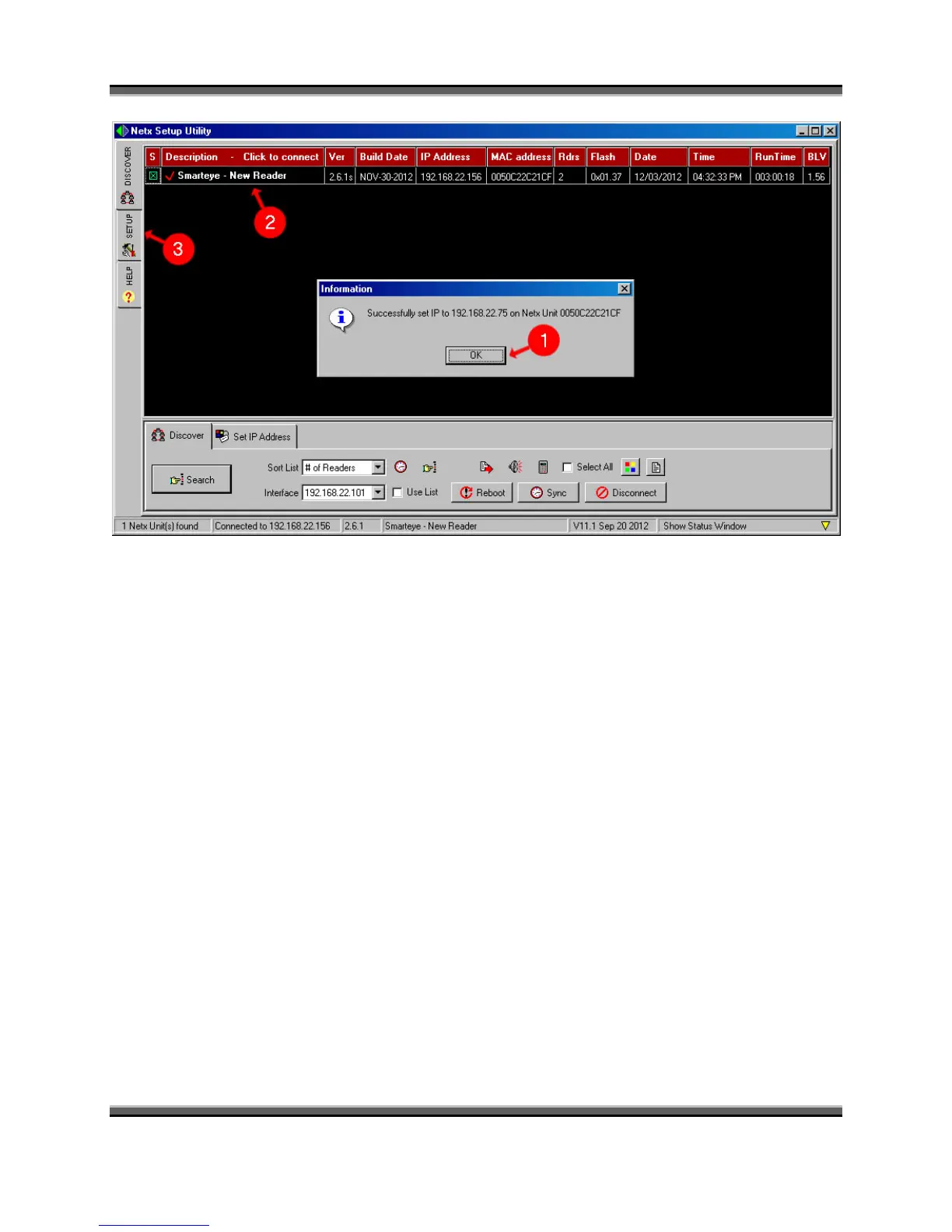
1. Click the “OK” button to get rid of the successfully set IP message box.
2. Then click on the description field to connect to the Smarteye Netx unit. A red check
mark is displayed when a connection is established with the unit. Now that a connection
has been made, we can proceed to the setup page to complete the configuration.
3. Click on the “Setup” tab located near the top left under the ‘Discover’ tab.



 To Next Page