SMARTEYE Netx Ethernet IP Control Unit User Manual Page 18
Filename: netx IP Platform User Manual R0 .doc
…
In Control
A
M
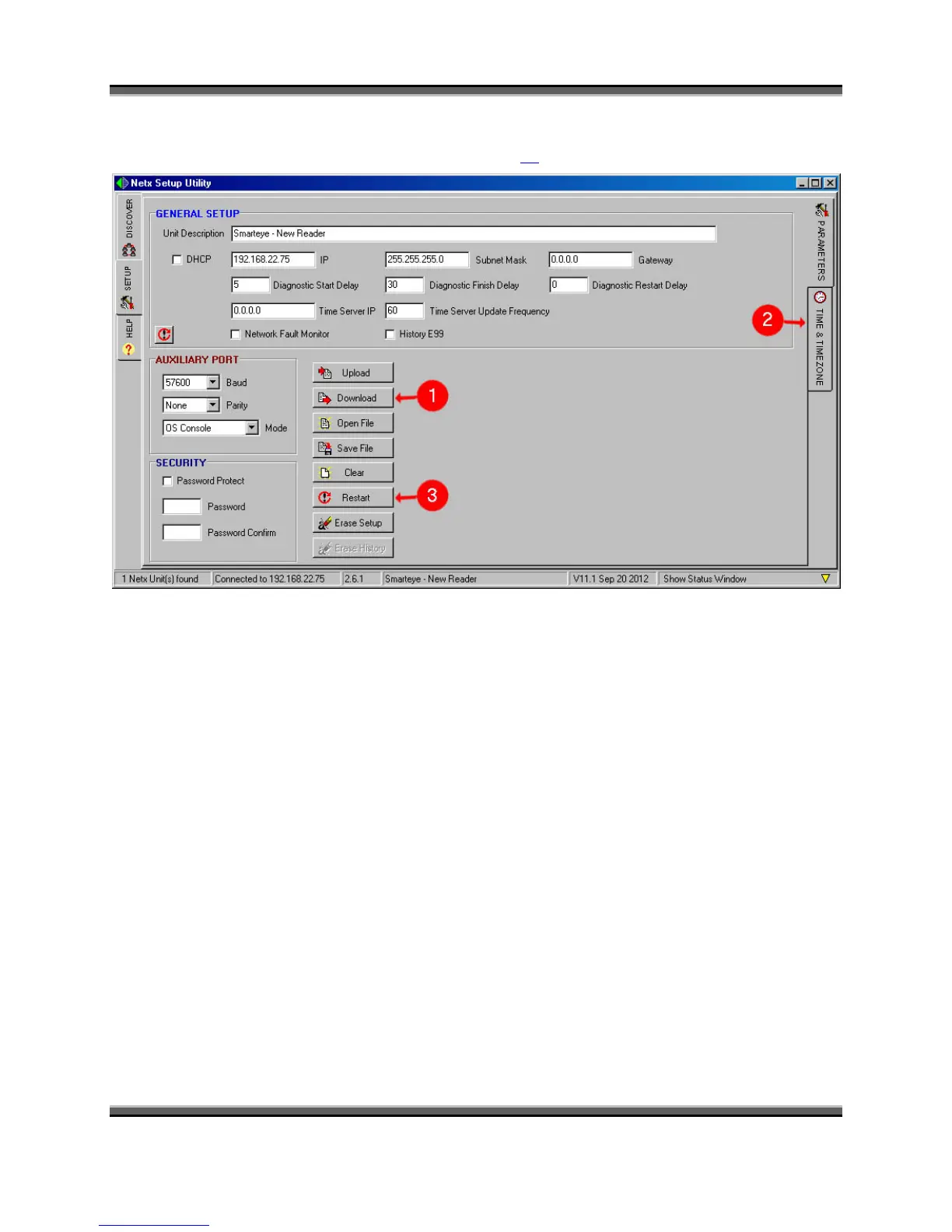
This brings up the setup page as shown below. Refer to the ‘Configuration Parameters’ section
for a list and description of each field starting on page 24.
1. After the unit has been configured, click the “Download” button to save the configuration
in flash memory. The configuration file will be retained even after power is removed
from the unit.
2. If a timeserver is not present on the network, then the date and time can be manually
configured by clicking on the “Time & Time Zone” tab located under the parameters tab
on the right side. See below for an illustration on setting the time and time zone.
3. Click the “Restart” button to apply the changes. This will reboot the Netx control unit.



 To Next Page