SMARTEYE Netx Ethernet IP Control Unit User Manual Page 19
Filename: netx IP Platform User Manual R0 .doc
…
In Control
A
M
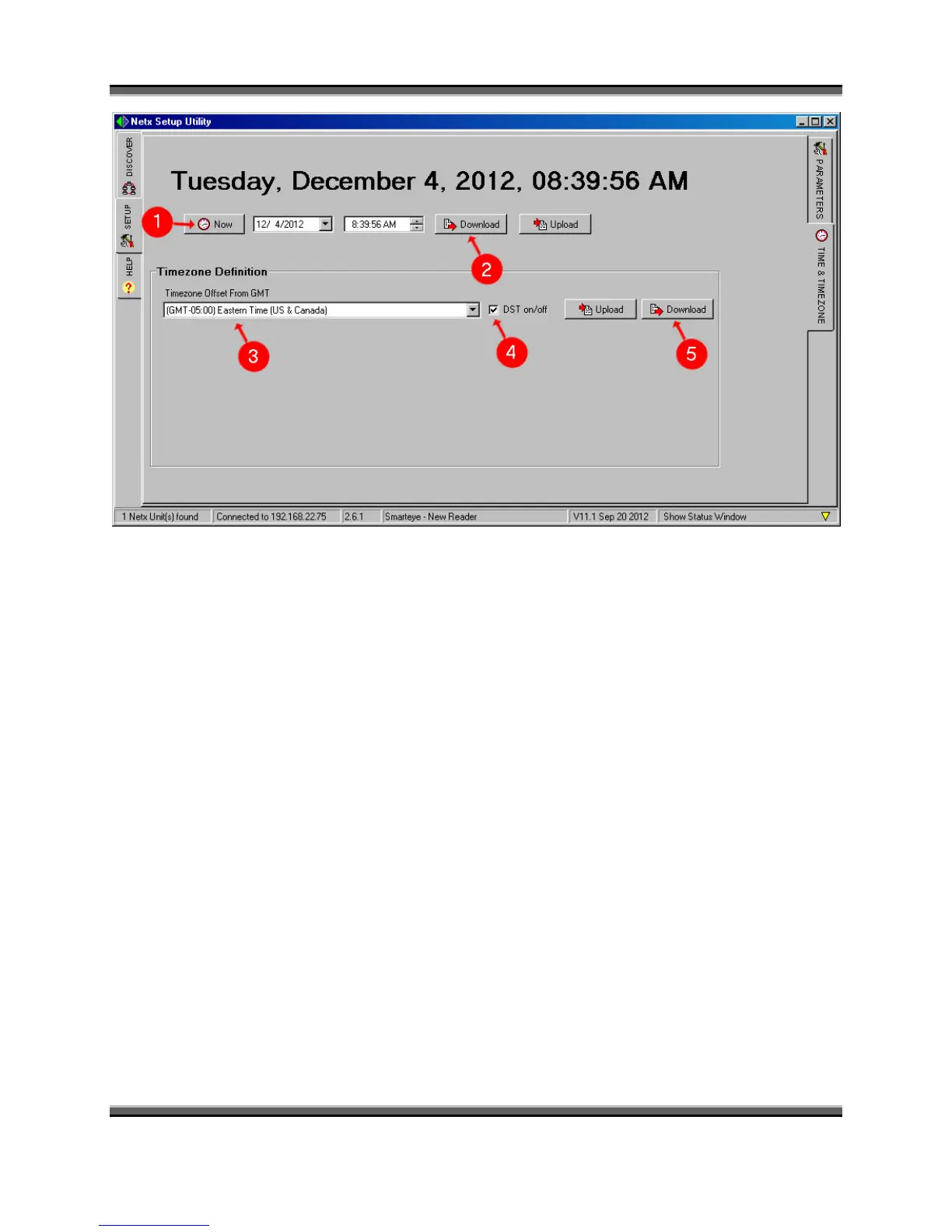
1. Set the date and time as desired.
2. Then click the ‘Download’ button to update the date and time for the unit.
3. The time zone can also be configured from this screen. Use the drop down box to select
the correct time zone for your area.
4. Check the DST box if you want to observe day light savings time.
5. Then click the “Download” button to update the time zone for the unit.



 To Next Page