SMARTEYE Netx Ethernet IP Control Unit User Manual Page 24
Filename: netx IP Platform User Manual R0 .doc
…
In Control
A
M
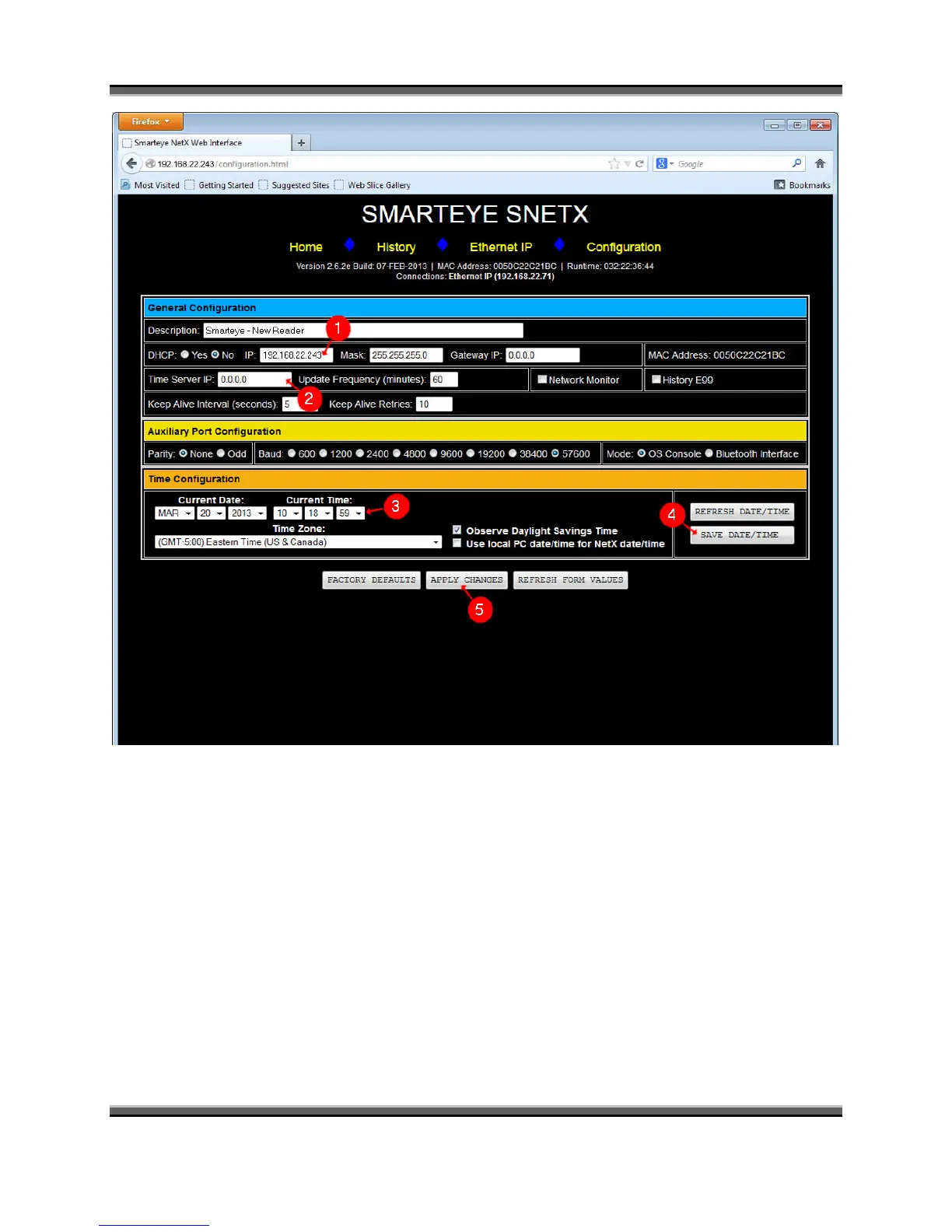
Figure 8
The Smarteye Netx Control Unit can now be configured.
1. Enter the IP address assigned to this unit by the network administrator along with the
mask and gateway if required.
2. If a time server is present on the network then enter its IP address here.
3. If no time server is available then the date and time can be manually configured here.
4. Select the desired date, time and time zone then click the ‘Apply Changes’ button to set
the internal clock of the Smarteye Netx Control Unit.



 To Next Page