Programming Instructions for SRU Boards
May 9, 2019 ©2019 Smartrise Engineering, Inc. All Rights Reserved Page 7
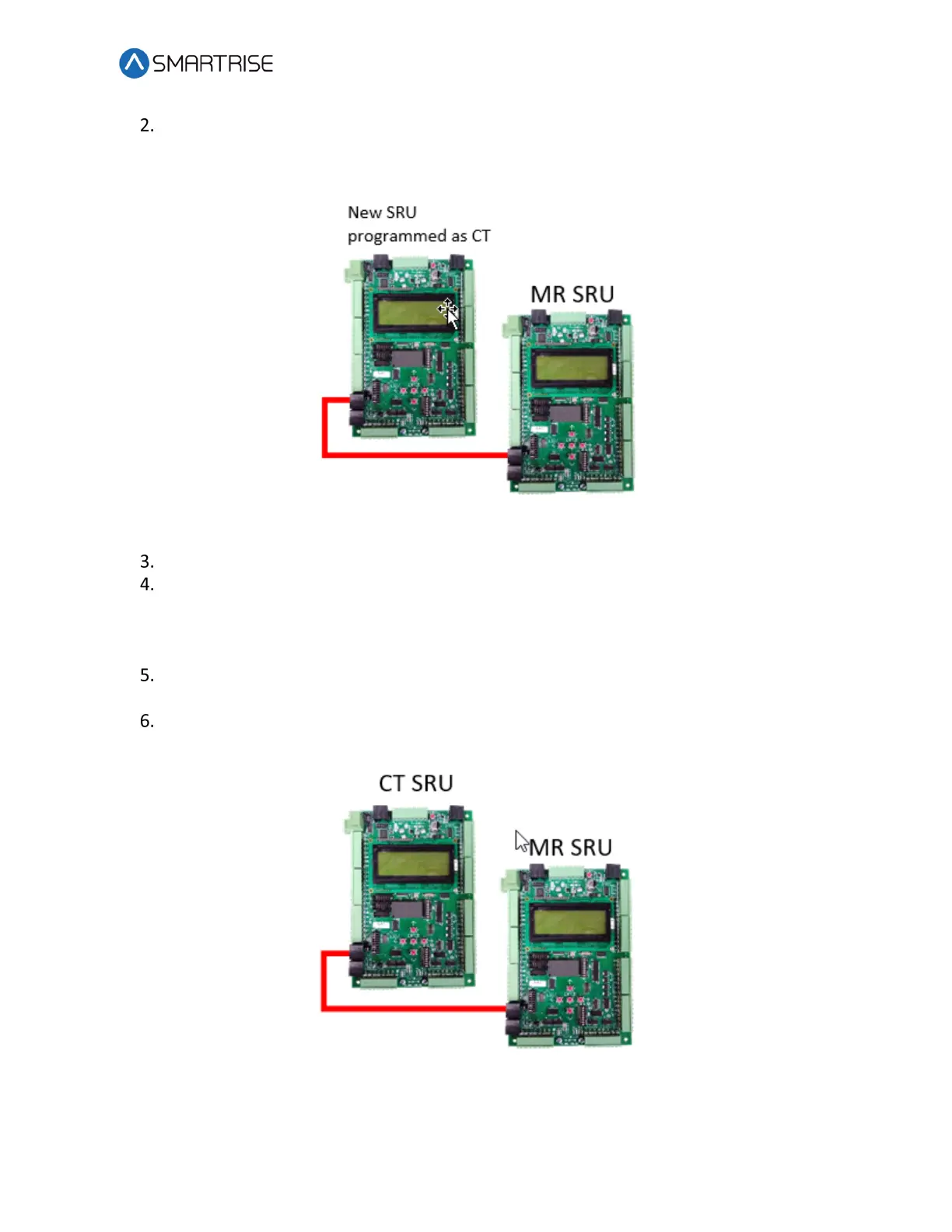
Take the new SRU board and plug a standard CAT5 cable from the MR SRU NET port to
the new SRU NET port. This provides the communication and power to the new SRU
board.
Figure 6: CAT5 Cable Connection
Program the new SRU board as the CT SRU board.
Cycle power to the new CT SRU board by temporarily unplugging the CAT5 cable.
NOTE: The new CT SRU board will download all the existing parameters from the
existing MR SRU board in about 15 minutes.
Once the parameters are transferred, unplug the CAT5 cable and remove the original
MR SRU board.
Install the new CT SRU in place of the original MR SRU board and reprogram it as the MR
SRU.
Figure 7: Transferred Parameters


 To Next Page