Programming Instructions for SRU Boards
Page 20 © 2019 Smartrise Engineering, Inc. All Rights Reserved May 9, 2019
Select the J21 checkbox on the Smartrise programming application.
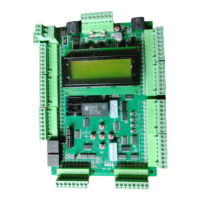
Figure 24: J21 and J22 Checkbox Group Controller
Click the Begin Programming button on the bottom of the programming interface to
begin programming the board.
The progress report bar moves until the programming has been completed. Upon
completion a Done message is displayed.
NOTE: Verify the POWER and RUN LEDs on the programming pod itself are off before
disconnecting from a controller.
Move the programming pod from port J21 to J22, then click on the J22 check box and
begin programming. See Figure 24.
When programming is completed, cycle the power.
WARNING: ** DO NOT PRESS THE RESET BUTTON **
Go to MAIN MENU | SET UP | DEFAULT ALL | select Yes and press the center button.
The controller begins defaulting all the factory parameters to the original programming.
(This could take several minutes.)
Cycle power again.
When the controller is fully powered and finished loading, turn off Dip Switch 1.
Verify that the controller is programmed correctly by going to the MAIN MENU | ABOUT
screen. Is all the information correct?
a. If all the information is correct, the MR Controller has been successfully
programmed. See Figure 22.
b. If the information is not correct, go to step 1.
Should you experience any issues, contact our Technical Support Team at 916-457-5129.


 To Previous Page

