Programming Instructions for SRU Boards
Page 16 © 2019 Smartrise Engineering, Inc. All Rights Reserved May 9, 2019
Software*Provided*by*Flash*Drive*
Every Smartrise job is provided with a binder that consists of one flash drive containing
software for the specific job. Smartrise controllers are shipped initially with the software
already installed on the controller; these flash drives are provided as back-ups.
The following procedure describes how to install the software via a flash drive.
Insert the supplied flash drive into the USB port.
Do the software menus display?
a. If the software menus display (see Figure 14), go to step 5.
b. If the software menus do not display, go to 3.
Click My Computer and then click on flash drive.
Click on Open folder to view files to explore the Smartrise folders.
Double click (1) - Controller Software. See Figure 14.
Connect the Smartrise Programmer to the laptop via USB.
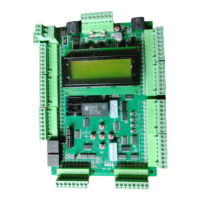
Connect the other end to the JTAG port on the controller.
CAUTION: It is imperative that you install the correct software onto the correct JTAG
port.
Figure 20: JTAG Port


 To Next Page

