EasyManua.ls Logo

SMC Networks SMCGS24C-Smart - User Manual

SMC Networks SMCGS24C-Smart
122 pages
Print Icon
To Next Page IconTo Next Page
Loading...
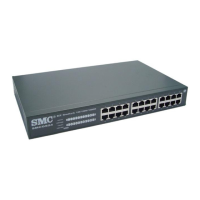
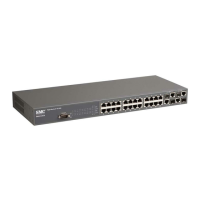
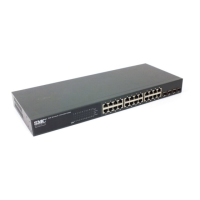
EZ Switch 10/100/1000
Managed Ethernet Switch
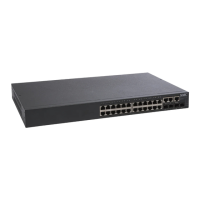
24 auto-MDI/MDI-X 10/100/1000BASE-T ports
4 ports shared with 4 SFP transceiver slots
Non-blocking switching architecture
Up to eight LACP or static 8-port trunks
Layer 2/3/4 CoS support through four priority queues
Full support for VLANs
IGMP multicast filtering and snooping
Support for jumbo frames up to 9 KB
Managed via the Web interface
Quick Installation Guide
SMCGS24C-Smart

Table of Contents

Questions and Answers

  • K
    Kathy SmithJul 31, 2025
    What to do if the Link LED is off on my SMC Networks SMCGS24C-Smart?
    • E
      Elizabeth ShannonJul 31, 2025
      To troubleshoot a Link LED that is off on your SMC Networks Switch: * First, make sure that both the switch and the device connected to it are turned on. * Ensure the cable is securely plugged into both the switch and the device. * If the switch is in a rack, check the connections to the punch-down block and patch panel. * Confirm that you're using the correct type of cable and that it's not longer than the specified limit. * Inspect the adapter on the connected device and the cable connections for any signs of damage. If you find a defective adapter or cable, replace it.
  • C
    Charles ObrienAug 8, 2025
    How to fix a Power LED that is off on an SMC Networks SMCGS24C-Smart Switch?
    • F
      fcraigAug 8, 2025
      If the Power LED on your SMC Networks Switch is off, check the connections between the switch, the power cord, and the wall outlet. If the problem persists, contact your dealer or SMC Technical Support for assistance.
  • A
    Alyssa GrimesAug 15, 2025
    Why does my SMC Networks Switch power off after running for a while?
    • T
      tiffany35Aug 15, 2025
      If your SMC Networks Switch powers off after running for a while, first verify that the fans on the unit are unobstructed and running before it shuts down. The issue might also be due to loose power connections, power losses or surges at the power outlet, or a defective internal power supply. If you still cannot isolate the problem, then the internal power supply may be defective.
  • J
    Johnny GreerAug 22, 2025
    What to do if the power indicator does not turn on for SMC Networks SMCGS24C-Smart Switch?
    • S
      Sara Reyes MDAug 22, 2025
      If the power indicator on your SMC Networks Switch doesn't turn on, check for loose power connections, power losses, or surges at the power outlet. The issue could be related to the power outlet itself, the power cord, or the internal power supply.

Summary

Limited Warranty

Warranty Exclusions and Limitations

Details the exclusive warranties and limitations of SMC product warranties.

Limitation of Liability

Outlines the limitations of SMC's liability for damages related to product use.

Compliances

CE Mark Declaration of Conformance

Declaration of conformity with EU directives for EMI and safety.

Safety and Power Cord Compliance

Covers general safety, fiber optic port, and power cord requirements.

Chapter 3 Installing the Switch

Site Selection Guidelines

Provides guidelines for choosing a suitable location for switch installation.

Chapter 5 Configuring the Switch

Configuring via Web Interface

Guides on accessing and using the switch's web-based management interface.

Setting Switch IP Address

Details manual configuration of IP address, subnet mask, and default gateway.

Configuring Logon Password

Instructs on changing the administrator password for secure access.

Port Configuration

Enables manual setting of port speed, duplex mode, and flow control.

Configuring Rate Limits

Controls maximum traffic rate on interfaces to limit traffic in/out of the switch.

Cable Diagnostic

Performs cable diagnostics to diagnose faults like shorts or opens.

Trunks Membership and Configuration

Allows creation and configuration of up to eight trunks for port aggregation.

VLAN Settings

Guides on configuring VLAN behavior, membership, and frame types.

QoS Settings

Enables prioritization of network traffic based on QoS modes like 802.1p or DSCP.

IP Filter Configuration

Sets up source IP filters to block unwanted access or provide specific access.

Appendix A Troubleshooting

Troubleshooting Switch Indicators

Provides a chart to diagnose issues based on Power and Link LED status.

Power and Cooling Problems

Addresses issues related to power indicators, unit overheating, and fan operation.

Appendix B Cables

Twisted-Pair Cable and Pin Assignments

Details pin assignments for 10/100BASE-TX and 1000BASE-T connections.

SMC Networks SMCGS24C-Smart Specifications

General IconGeneral
Ports24
LayerLayer 2
Switching Capacity48 Gbps
MAC Address Table8K
Forwarding Rate35.7 Mpps
Jumbo Frame SupportYes
Packet Buffer Memory512 KB
Operating Humidity10% to 90% (non-condensing)
Storage Humidity5% to 90% (non-condensing)
Power Consumption20W
Jumbo Frame Size9216 Bytes
ManagementWeb-based management
FeaturesQoS, VLAN, IGMP Snooping, Port Mirroring
Storage Temperature-40°C to 70°C

Related product manuals