EasyManua.ls Logo

SMC Networks TigerSwitch SMC6128L2 - User Manual

SMC Networks TigerSwitch SMC6128L2
606 pages
Print Icon
To Next Page IconTo Next Page
Loading...
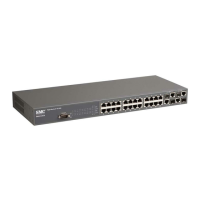
TigerSwitch 10/100
24-Port 10/100 Mbps
Fast Ethernet Managed Switch
24 auto-MDI/MDI-X 10/100BASE-TX ports
4 Gigabit RJ-45/SFP combination ports
Non-blocking switching architecture
Spanning Tree Protocol, and Rapid STP
Up to 8 LACP or static trunks
CoS support through four priority queues
Full support for VLANs with GVRP
IGMP multicast filtering and snooping
Support for jumbo frames up to 9 KB
Manageable via console, Web, SNMP, RMON
Management Guide
SMC6128L2

Table of Contents

Other manuals for SMC Networks TigerSwitch SMC6128L2

Questions and Answers

  • G
    Gregory ButlerAug 10, 2025
    What to do if I cannot connect to SMC Networks TigerSwitch SMC6128L2 Switch using Secure Shell?
    • S
      Sara King DVMAug 10, 2025
      If you are unable to connect to the SMC Networks Switch using Secure Shell, consider these potential causes. First, you might have exceeded the maximum permitted concurrent Telnet/SSH sessions, so try connecting again later. Also, ensure the SSH server's control parameters are correctly configured on the switch and that the SSH client software is properly configured on your management station. Verify that you've generated a public key on the switch and exported it to the SSH client. Make sure you've set up an account on the switch for each SSH user, including their username, authentication level, and password. Lastly, if using public key authentication, confirm that you've imported the client's public key to the switch.
  • D
    Dr. Amanda BrownAug 20, 2025
    How to access the on-board configuration program of SMC Networks Switch via a serial port connection?
    • R
      rachelharveyAug 20, 2025
      To access the on-board configuration program of the SMC Networks Switch via a serial port connection, ensure your terminal emulator program is set to VT100 compatible, with 8 data bits, 1 stop bit, no parity, and the baud rate is set to 9600, 19200, 38400, 57600, or 115200 bps. Also, check that the null-modem serial cable conforms to the pin-out connections.
  • J
    Justin HerreraOct 29, 2025
    Why can't I connect to SMC Networks TigerSwitch SMC6128L2 using Telnet, web browser, or SNMP software?
    • M
      Mitchell CruzOct 29, 2025
      There could be several reasons why you are unable to connect to the SMC Networks Switch. Ensure the switch is powered on and check the network cabling between your management station and the switch. Verify that you have a valid network connection to the switch and the port you're using is enabled. Confirm that the VLAN interface, through which the management station connects, has a valid IP address, subnet mask, and default gateway. Also, ensure the management station's IP address is in the same subnet as the switch's IP interface. If connecting via a tagged VLAN group's IP address, your management station and intermediate switches must be configured with the appropriate tag. Finally, you may have exceeded the maximum number of concurrent Telnet/SSH sessions permitted; try connecting again...

Summary

Introduction

Key Features

Lists the main features of the switch, including authentication, port configuration, and support for various protocols.

Initial Configuration

Connecting to the Switch

Explains how to establish a connection to the switch via console port or Telnet for initial setup.

Setting an IP Address

Details configuring the switch's IP address, subnet mask, and default gateway for network management access.

Configuring the Switch

Using the Web Interface

Introduces the web-based agent for configuring switch parameters, monitoring ports, and viewing statistics.

Configuring the Secure Shell

Guides on using SSH as a secure replacement for Telnet for remote management access and authentication.

Access Control Lists

Details creating ACLs for packet filtering based on IP/MAC addresses, protocols, and ports for security.

VLAN Configuration

Explains VLANs for organizing network nodes into separate broadcast domains, enhancing security and efficiency.

Command Line Interface (CLI)

Troubleshooting

SMC Networks TigerSwitch SMC6128L2 Specifications

General IconGeneral
ModelSMC6128L2
Port Speed10/100/1000 Mbps
Switching Capacity56 Gbps
MAC Address Table Size8K
Jumbo Frame SupportYes
ManageableYes
Power SupplyInternal
Power Consumption30 W
Weight2.5 kg
TypeSwitch
Jumbo Frame Support Size9216 bytes
Forwarding Rate41.7 Mpps

Related product manuals