EasyManua.ls Logo

SMC Networks TigerStack II SMC8848M - User Manual

SMC Networks TigerStack II SMC8848M
846 pages
Print Icon
To Next Page IconTo Next Page
Loading...
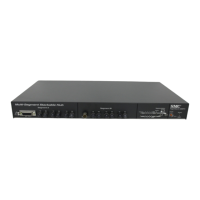
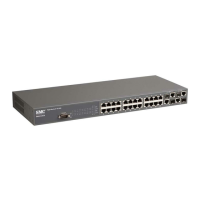
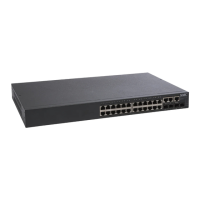
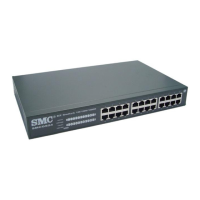
TigerStack II
10/100/1000
Gigabit Ethernet Switch
24/48 auto-MDI/MDI-X 10/100/1000BASE-T ports
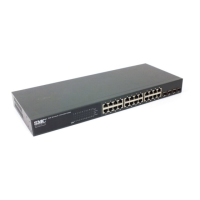
4 RJ-45 ports shared with 4 SFP transceiver slots
2 10GBASE extender module slots
Non-blocking switching architecture
Support for a redundant power unit
Spanning Tree Protocol, RSTP, and MSTP
Up to 32 LACP or static 8-port trunks
Layer 2/3/4 CoS support through eight priority queues
Layer 3/4 traffic priority with IP Precedence and IP DSCP
Full support for VLANs with GVRP
IGMP multicast filtering and snooping
Manageable via console, Web, SNMP/RMON
Security features: ACL, RADIUS, 802.1x
Routing features: IP/RIP routing, CIDR
Supports IPv4/IPv6, dual protocol stack
Management Guide
SMC8824M
SMC8848M

Table of Contents

Other manuals for SMC Networks TigerStack II SMC8848M

Questions and Answers

  • T
    Tracy JohnsonAug 14, 2025
    Why is the Link LED off on my SMC Networks TigerStack II SMC8848M?
    • P
      Pamela MillerAug 14, 2025
      If the Link LED is off on your SMC Networks Switch, verify that both the switch and the device connected to it are powered on. Ensure that the cable is properly plugged into both the switch and the device. Also, verify that you are using the correct cable type and that its length does not exceed the specified limits. Check the adapter on the connected device and the cable connections for any defects. If necessary, replace any defective adapters or cables.
  • K
    Kenneth BarnesAug 17, 2025
    What to do if the Power LED is off on my SMC Networks Switch?
    • J
      Jill BishopAug 17, 2025
      If the Power LED on your SMC Networks Switch is off, check the connections between the switch, the power cord, and the wall outlet. If the problem persists, contact your dealer or SMC Technical Support for further assistance.
  • C
    colemankristinaAug 20, 2025
    What does it mean when the Stack Link LED is flashing green/amber on my SMC Networks TigerStack II SMC8848M Switch?
    • L
      lisasmithAug 20, 2025
      If the Stack Link LED is flashing green/amber on your SMC Networks Switch, it indicates that the uplink/downlink has failed. Check that the stacking cables are properly connected for the indicated stack link. If necessary, replace the stacking cable or power cycle the switch to try and clear the condition.
  • D
    Debbie SmithAug 25, 2025
    Why is the Power LED amber on my SMC Networks Switch?
    • J
      Jasmine AllenAug 25, 2025
      If the Power LED on your SMC Networks Switch is amber, it indicates that the internal power supply has failed. Contact your local dealer for assistance.
  • J
    Jeffrey HudsonAug 27, 2025
    What to do if the Diag LED is amber on my SMC Networks TigerStack II SMC8848M?
    • S
      Scott BellAug 27, 2025
      If the Diag LED on your SMC Networks Switch is amber, power cycle the switch to try and clear the condition. If the condition persists, contact your local dealer for assistance.
  • B
    Brett NicholsonAug 30, 2025
    How to fix a flashing amber Stack Master LED on an SMC Networks TigerStack II SMC8848M Switch?
    • K
      keithvasquezAug 30, 2025
      If the Stack Master LED is flashing amber on your SMC Networks Switch, the stack might not have completed its initial configuration. Wait a few minutes for the process to complete. If the issue continues, check that all stacking cables are properly connected.
  • S
    Shawn CastanedaSep 6, 2025
    How to connect to SMC Networks TigerStack II SMC8848M Switch using Secure Shell (SSH)?
    • P
      Phillip Simpson DVMSep 6, 2025
      To connect to the SMC Networks Switch using SSH, ensure the SSH server's control parameters are correctly configured on the switch and that your SSH client software is properly configured. Generate a public key on the switch and export it to the SSH client. Set up an account on the switch for each SSH user, including a username, authentication level, and password. If using public key authentication, import the client's public key to the switch. If you still cannot connect, you may have exceeded the maximum number of concurrent Telnet/SSH sessions permitted. Try connecting again later.
  • A
    Annette DoughertySep 9, 2025
    How to access the on-board configuration program of SMC Networks TigerStack II SMC8848M via a serial port connection?
    • J
      Julie FletcherSep 9, 2025
      To access the on-board configuration program via a serial port connection, make sure your terminal emulator program is set to VT100 compatible, with 8 data bits, 1 stop bit, no parity, and the baud rate set to 9600, 19200, 38400, 57600, or 115200 bps. Also, check that the null-modem serial cable conforms to the pin-out connections provided in the Installation Guide.
  • R
    Robin StoutDec 3, 2025
    What to do if I cannot connect to SMC Networks TigerStack II SMC8848M using Telnet, web browser, or SNMP software?

    Summary

    SECTION I GETTING STARTED

    Chapter 1 Introduction

    Provides an overview of the switch and basic concepts about network switches.

    Chapter 2 Initial Configuration

    Describes the basic settings required to access the management interface.

    SECTION II SWITCH MANAGEMENT

    Chapter 3 Configuring the Switch

    Describes how to configure the switch via a web browser and Command Line Interface.

    Chapter 4 Basic Management Tasks

    Covers basic functions for management access, displaying and upgrading software, or resetting the system.

    SECTION III COMMAND LINE INTERFACE

    Chapter 18 Overview of the Command Line Interface

    Explains how to use the Command Line Interface (CLI) for switch management.

    Chapter 19 General Commands

    Details commands for controlling command access mode, configuration, and other basic functions.

    SECTION IV APPENDICES

    Software Specifications

    Details software features, management features, and supported standards.

    Troubleshooting

    Provides common symptoms and actions for problems accessing the management interface.

    Glossary

    Provides definitions of terms used throughout the manual.

    SMC Networks TigerStack II SMC8848M Specifications

    General IconGeneral
    Device TypeSwitch
    ManageableYes
    StackableYes
    Switching Capacity17.6 Gbps
    Forwarding Rate13.1 Mpps
    MAC Address Table Size8K entries
    Jumbo Frame SupportYes
    Form FactorRack-mountable
    Uplink Ports4 x Gigabit SFP
    Layer2
    Power Supply100-240V AC, 50-60Hz
    Dimensions17.3 x 1.7 in
    Operating Temperature0°C to 40°C
    Storage Temperature-4 °F to 158 °F (-20 °C to 70 °C)
    Humidity10% to 90% (non-condensing)

    Related product manuals