Need help?
Do you have a question about the SMC Networks WUSBS-N3 and is the answer not in the manual?
 General
| Brand | SMC Networks |
|---|---|
| Model | WUSBS-N3 |
| Category | Adapter |
| Language | English |
Details FCC statement on interference for digital devices.
Outlines FCC radiation exposure limits and user instructions for compliance.
Declares compliance with EU R&TTE Directive and lists harmonized standards.
Explains the guide's content covering hardware, installation, and software.
Identifies PC users familiar with Windows concepts as the intended readers.
Describes symbols used for notes, cautions, and warnings in the guide.
Lists additional resources like quick installation guides and online help.
Summarizes changes in document revisions, noting this is the first.
Lists the main capabilities of the wireless USB adapter, including speed and security.
Details the adapter's wireless communication capabilities, speed, and OS support.
Lists the necessary hardware and software prerequisites for installing the adapter.
Enlists all items included in the wireless USB adapter package.
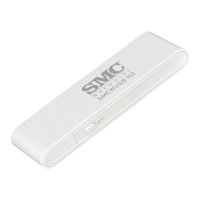
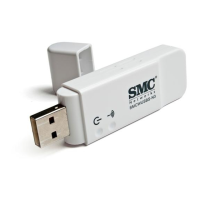
Provides a general overview of the wireless USB adapter's physical characteristics.
Explains the function and behavior of the adapter's power and activity LEDs.
Step-by-step guide for installing the driver and SMC Connection Manager.
Details how to use the setup wizard to connect to a wireless network.
Instructions on how to launch the utility for configuring the wireless adapter.
Overview of the various configuration tools available in the utility.
Explains how to view and manage available wireless networks.
Guides on setting up wireless connection profiles with security settings.
Details how to enable Wi-Fi Multimedia (WMM) features for QoS.
Covers configuration of power saving, transmit power, and country region codes.
Shows how to view connection statistics and throughput.
Displays utility version, firmware, and driver information.
Describes peer-to-peer wireless network setup without an access point.
Explains setting up a wireless network connected to a wired LAN via an access point.
Instructions on how to enable the Access Point mode on the adapter.
Overview of settings available when the adapter is in AP mode.
Details network name, country code, power, authentication, and encryption settings.
Explains how to manage client access based on MAC addresses.
Shows connected stations and their power saving status.
Displays IP address, MAC address, and packet transmission statistics.
Shows utility, driver, and build date information in AP mode.
Guides on reverting the adapter from AP mode back to client mode.
Provides solutions for issues with adapter detection and driver installation.
Offers steps to resolve connectivity issues, including LED status and AP problems.
Step-by-step instructions for removing the adapter's software.
Details the USB interface type and power requirements of the adapter.
Lists supported Wi-Fi standards and operating frequency ranges.
Describes modulation techniques and supported radio channels by region.
Covers supported data rates and characteristics of the internal antenna.
Explains LED functions and typical transmit power levels.
Details receiver sensitivity and the adapter's physical size and weight.
Specifies operating conditions and relevant EMC, Radio, and Safety certifications.

 To Next Page